Sales and Order Management
The order lifecycle is the backbone of any distribution operation. Ask the Ledger handles it end to end: from the moment a customer calls in an order through shipment, invoicing, and delivery confirmation. Every step is connected so your team never re-enters data or guesses what shipped.
- Sales Order Entry: Full order lifecycle with item lookup, 5-tier pricing engine with quantity breaks, partial shipments, print confirmations, and status tracking through approval.
- Shipping and Fulfillment: Ship SO lines to create invoices, generate packing slips and pick tickets, with full support for partial shipments across multiple deliveries.
- Point of Sale: Touch-friendly POS with multi-location support, store favorites, booth mode for events, and per-location sales tracking and reporting.
- 5-Tier Pricing Engine: Price codes A through E with three quantity-break levels per item, customer-specific price exceptions, and automatic discount calculation.
- Recurring Billing: Create templates from past invoices or let the system suggest them by analyzing your invoice history. Auto-generate invoices on schedule with batch processing.
- B2B Web Portal: Customers browse your catalog with their pricing, see stock availability, place orders 24/7, reorder from past invoices, pull statements, and submit returns. Orders flow directly into your sales order queue with no sync layer.
- EDI Integration: Send and receive X12 EDI documents (850, 810, 856, 997) via SFTP or AS2. AI-powered field mapping reads your trading partner's implementation guide PDF and generates the complete mapping automatically. No VAN, no per-document fees.

Sales Order Entry
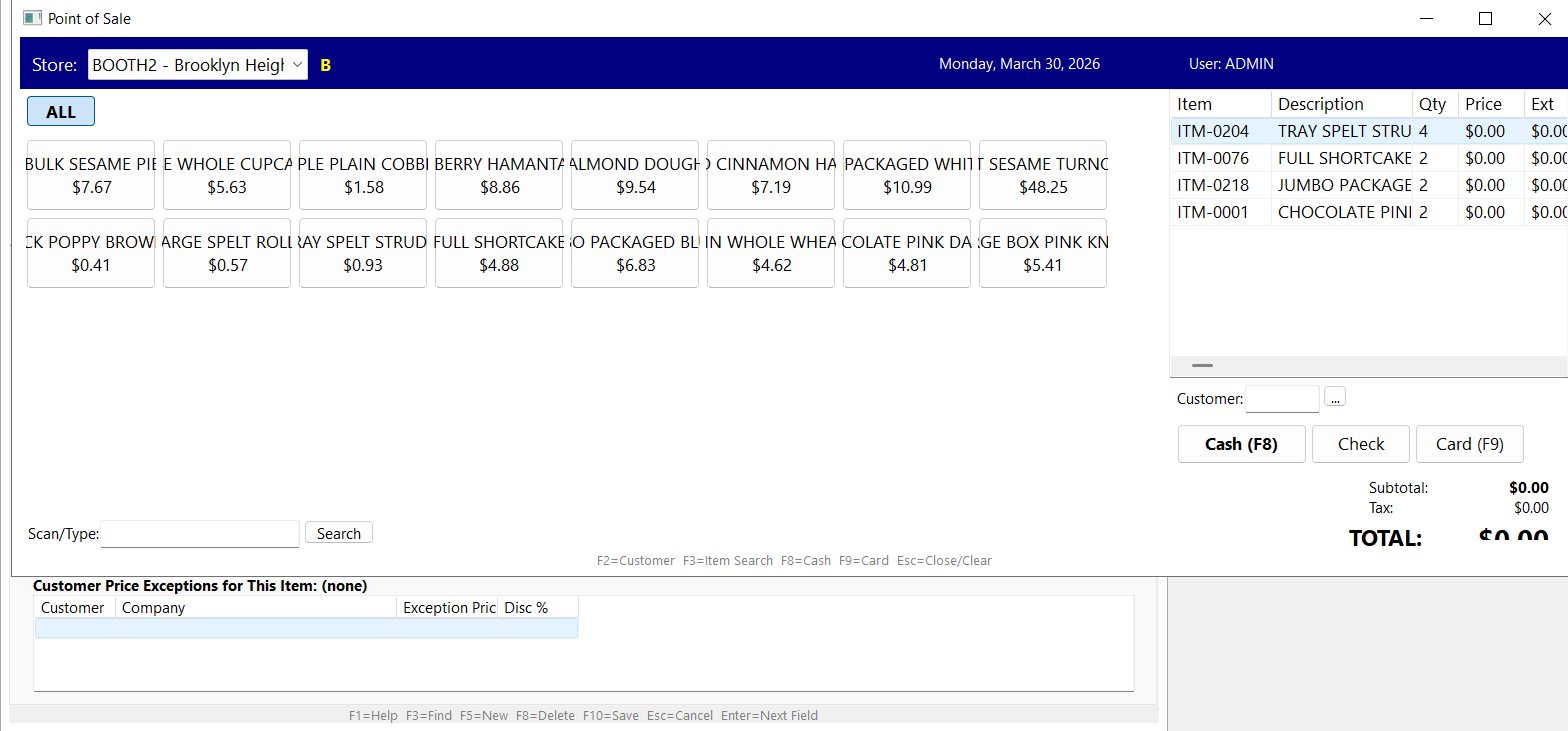
Point of Sale
Invoicing and Payments
Accurate invoicing and fast cash collection keep your business healthy. Ask the Ledger connects invoices to the orders and shipments that created them, applies payments with full audit trails, and keeps customer balances correct in real time.
- Invoice Entry: Full AR maintenance with a 4-tab layout, dual payment slots, memo fields, complete audit trail, and print output as HTML or Word.
- Cash Receipts: Apply payments to specific invoices, handle partial payments, void receipts, with transactional processing and automatic customer balance updates.
- Batch Payment: Apply one customer check across multiple open invoices in a single atomic transaction. Auto-distribute oldest-first or enter per-row amounts. All invoices share one reference number for audit.
- Email Invoices & Statements: Send as PDF attachments via SMTP with OAuth 2.0 support for Gmail and Microsoft 365. No app passwords, no stored credentials. Every email logged for audit trail.
- Customer Statements: Generate and print statements with open balances, recent payments, and aging breakdown. Single-customer on demand or batch PDF for whole customer base with balance threshold and route filters.
- Invoice and SO Inquiry: Read-only lookup screens for quick access to invoice and order details without risk of accidental changes.
- QuickBooks Export: Export transactions to QuickBooks for teams that maintain a separate general ledger.
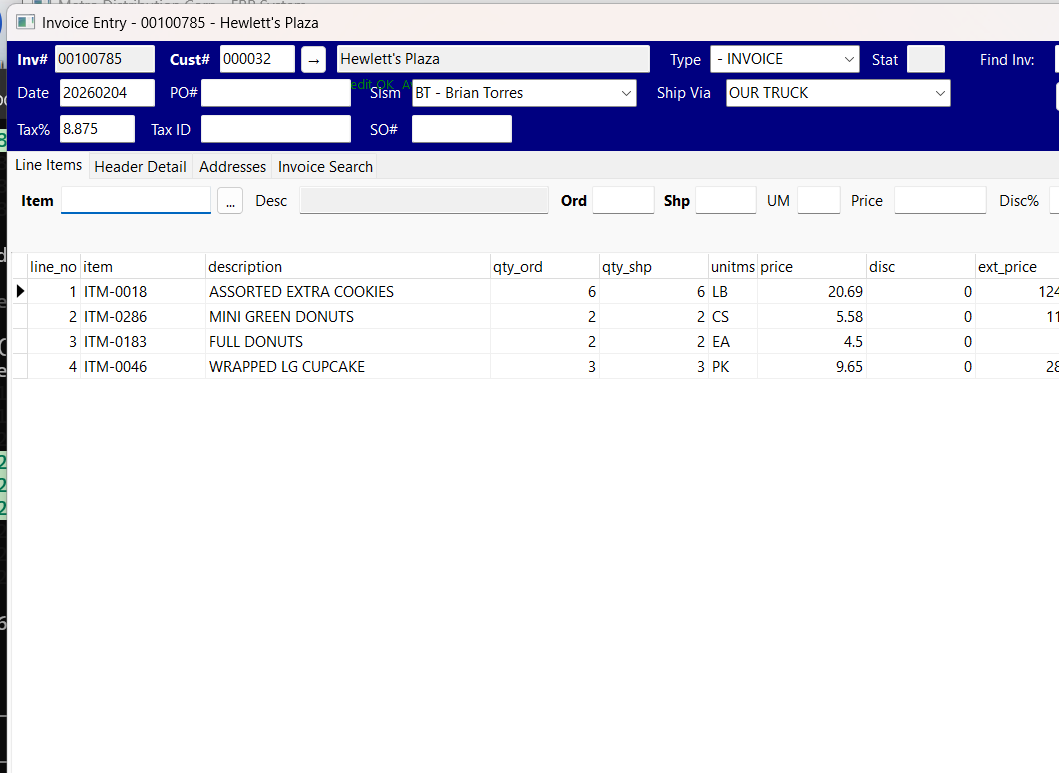
Invoice Entry
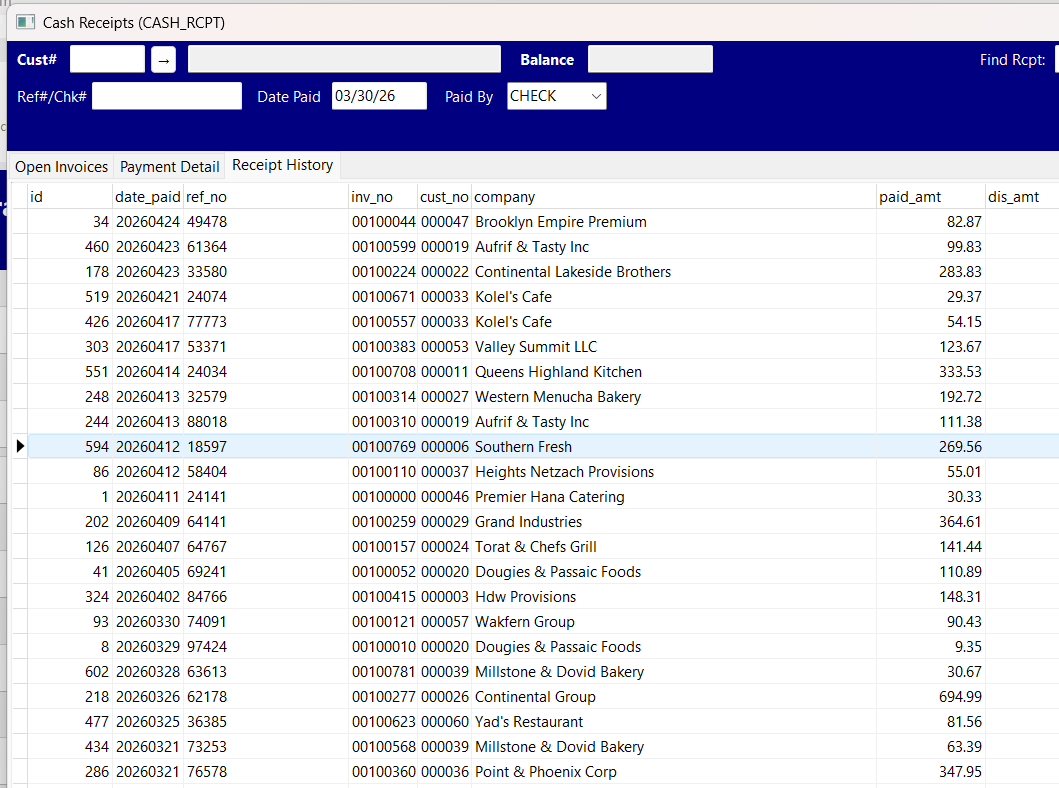
Cash Receipts
Inventory and Products
Distributors live and die by inventory accuracy. Whether you carry 500 SKUs or 100,000, Ask the Ledger gives your team real-time visibility into stock levels, costs, supplier info, and reorder status from a single screen.
- Inventory Maintenance: Full CRUD for 100K+ items across 6 tabs with smart search, supplier info, cost tracking, and multi-tier pricing.
- Stock Inquiry: Real-time stock levels, availability, pricing details, and supplier information in a read-only view.
- Reorder Alerts: Automatic alerts when items drop below reorder point so you never miss a replenishment window.
- Bill of Materials: Define product recipes and assemblies, track raw materials and components for manufactured or kitted items.
- Production Orders: Create and track production runs from raw materials through finished goods.
- Production Status Board: Kanban-style shop-floor monitor with customizable stages (receiving, mixing, baking, cooling, packaging, etc.). Cards per manufacturing order, columns per stage, 30-second auto-refresh. Right-click to move cards between stages, logged with user and timestamp. Designed to run maximized on a warehouse display.
- Inventory Adjustments: Record adjustments for damaged goods, cycle counts, and corrections with a full audit trail.
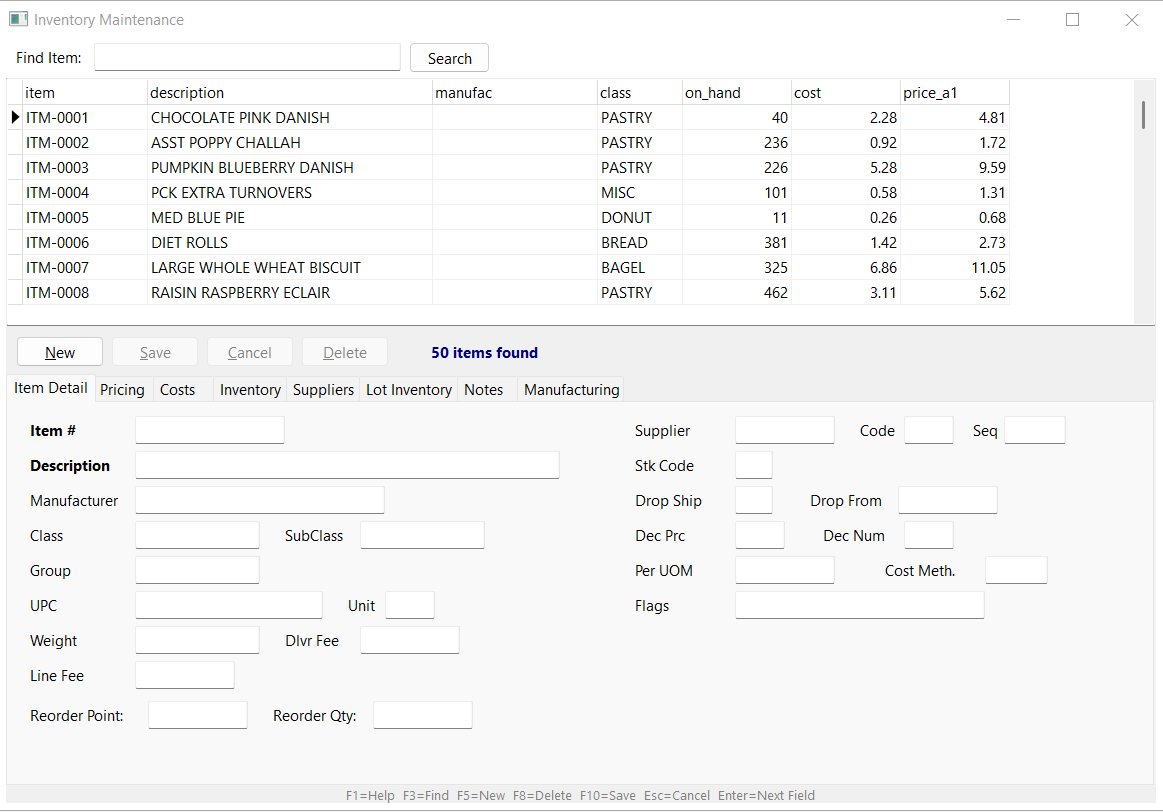
Inventory Maintenance
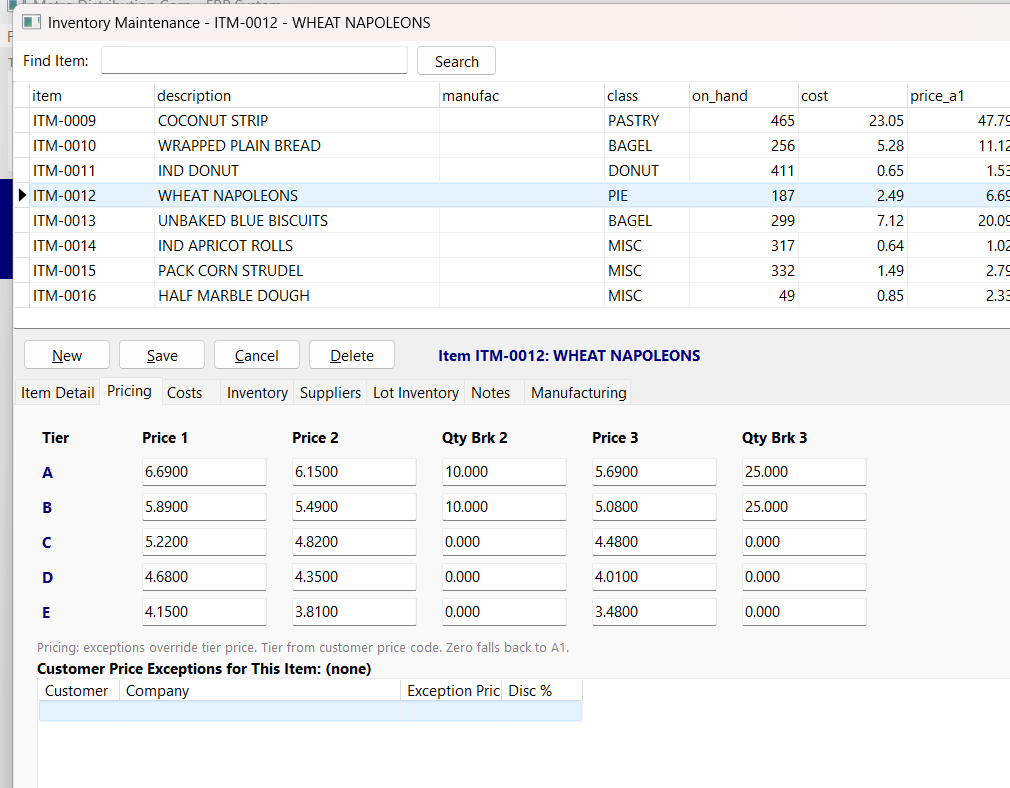
5-Tier Pricing Matrix
Delivery and Logistics
For route-driven distributors, the delivery pipeline is just as critical as accounting. Ask the Ledger organizes your delivery runs by route, generates the documents your warehouse and drivers need, and keeps everything in stop order so deliveries run on time.
- Route Management: Define delivery routes, assign drivers, and set run day schedules.
- Route Stops: Assign customers to routes with stop ordering for optimal delivery sequence. Move stops up or down to match real-world geography.
- Route Generation: Preview delivery runs before executing. Batch generate from existing invoices with full control over what goes on each truck.
- Route Printing: Consolidated pick lists for the warehouse, per-customer packing slips for the truck, and driver manifests in stop order.
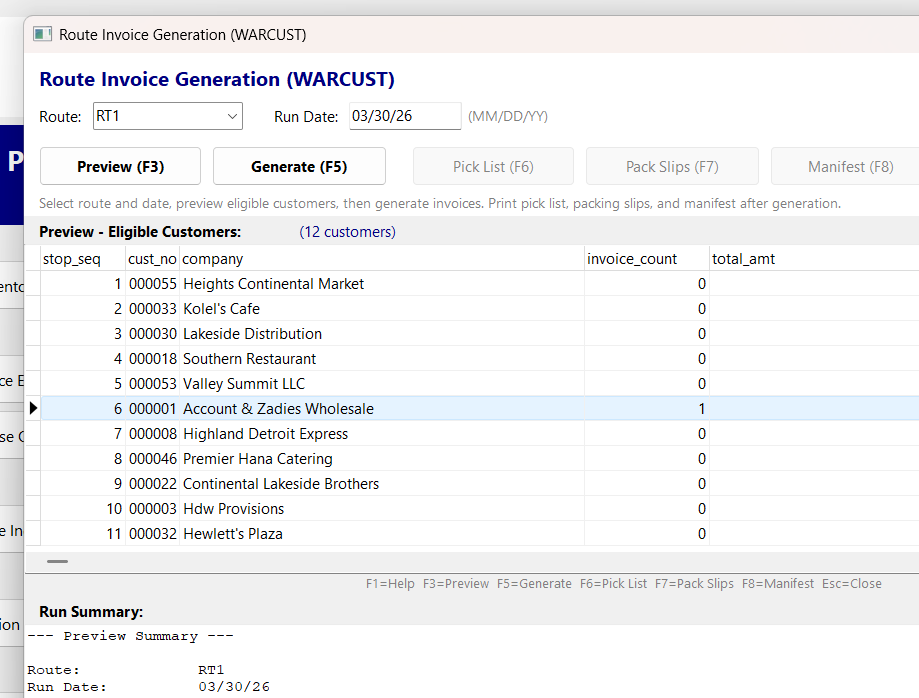
Route Generation Preview
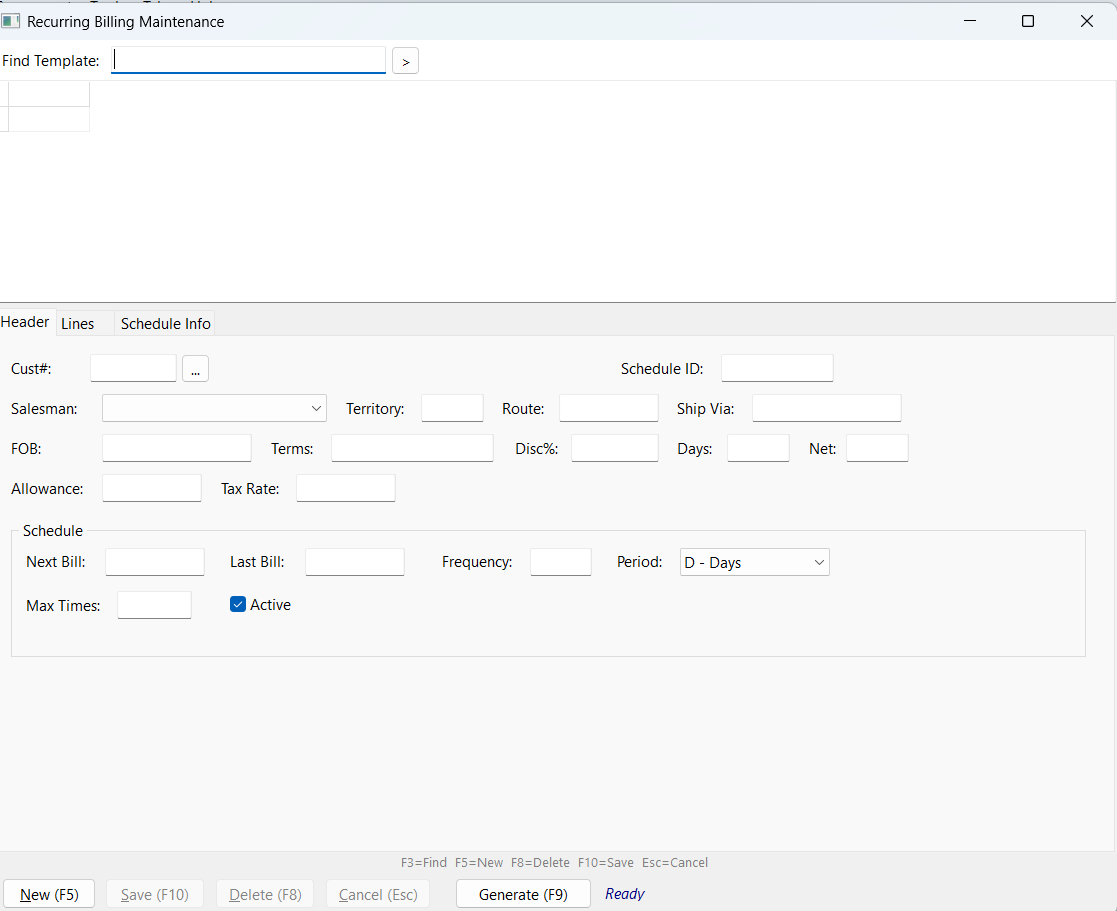
Recurring Billing Templates
Vendors and Purchasing
The buy side matters as much as the sell side. Ask the Ledger tracks your vendors, manages purchase orders, handles receiving, and records vendor bills so procurement stays organized and auditable.
- Vendor Management: Full vendor profiles with contact info, payment terms, and purchase history.
- Purchase Orders: Create POs, track status, and manage procurement from request through fulfillment.
- PO Receiving: Receive shipments against purchase orders with automatic inventory updates.
- Vendor Bills: Track and manage vendor bills tied to purchase orders and receiving records.
Reporting and Analytics
Good decisions require good data. Ask the Ledger includes 15 built-in reports that cover the numbers distributors check daily, plus an AI report builder for the questions you did not plan for.
- 15 Built-in Reports: AR Aging, Daily Sales, Sales by Customer, Sales by Salesman, Open SOs, Inventory Valuation, Cash Receipts Journal, Weekly Product Recap, Pick Ticket, Sales by Location, Top Items by Location, Location Comparison, Customer Statements, and Transaction Reports. All export to Excel.
- AI Report Builder: Ask any question in plain English and the system writes the SQL query. Save favorite queries to run again without rebuilding them.
- Company Snapshot Dashboard: Visual charts for top customers, monthly sales trends, AR aging breakdown, year-over-year comparison, and pending web orders with drill-down to detail.
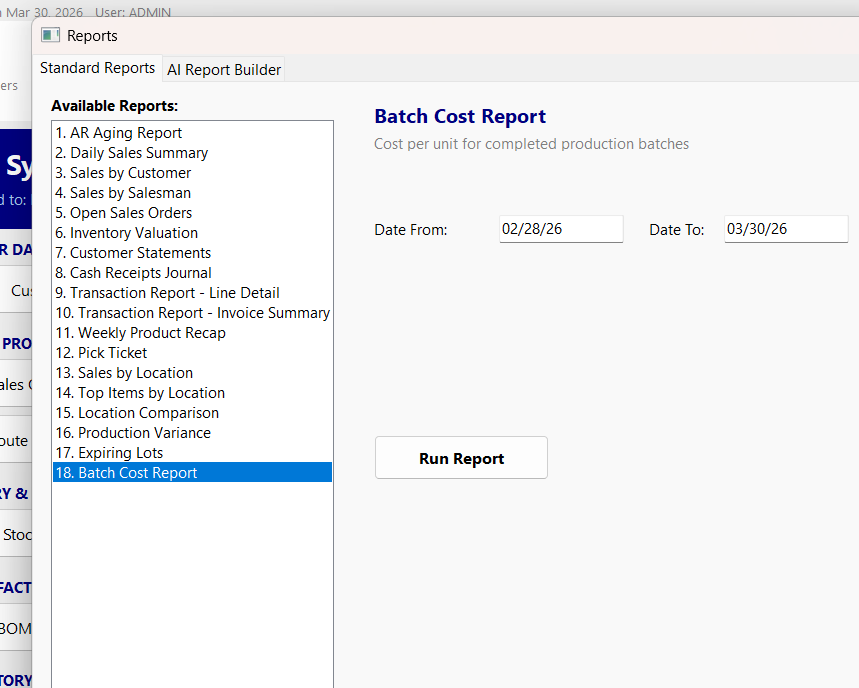
18 Standard Reports
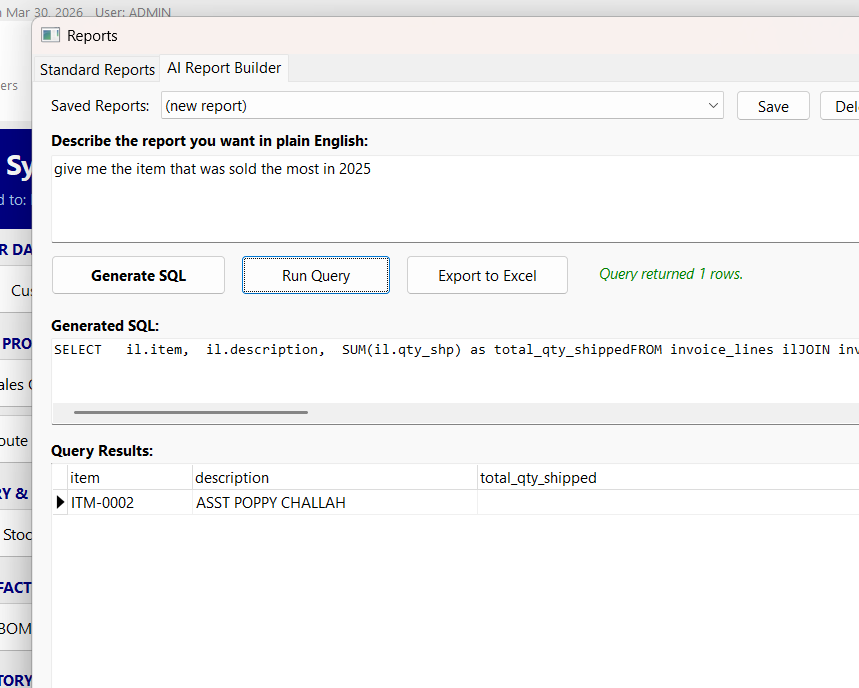
AI Report Builder
Administration and Security
Control who sees what and who can do what. Ask the Ledger includes role-based permissions, company configuration, and integration tools so your system stays secure and organized as your team grows.
- User Roles and Permissions: Six built-in roles (Admin, Office, Sales, Entry, Cash, View-Only) with granular per-screen permissions. Customize access for every team member.
- Company Configuration: Company info editor, salesman management, and store setup for multi-location operations.
- SMTP and Email Configuration: Gmail OAuth2 or password-based SMTP setup for sending invoices, statements, and notifications.
- Zebra Label Printing: Print product labels to Zebra thermal printers with barcode support for warehouse operations.
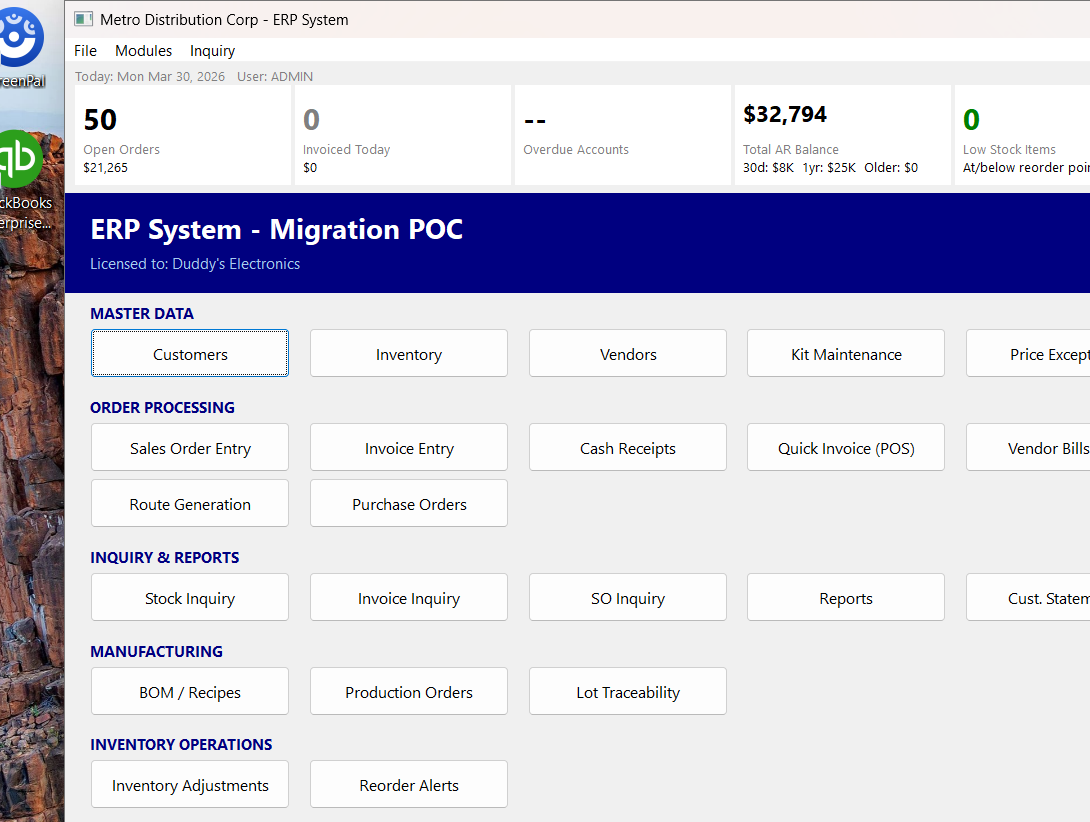
Main Dashboard
Three of the features above are powered by AI. The dedicated AI features for distributors page walks through each one — plain-English reporting, AI EDI mapping, and the in-app AI help center.
See these features with your own data
Schedule Your Live DemoBack to Home | ERP for Distributors ERP for Bakeries | ERP Demo