An ERP built for wholesale distributors, not retrofitted for them
Windows desktop ERP for small businesses. Manage customers, invoices, inventory, sales orders, POS, web portal, vendors, and reports - and ask your data questions in plain English.
30+ modules born from a battle-tested distribution system, rebuilt for Windows with AI on top.
See Ask the Ledger in action
A 3-minute walkthrough of the main modules — customers, inventory, invoicing, recurring billing, route delivery, production planning, lot traceability, and AI reporting.
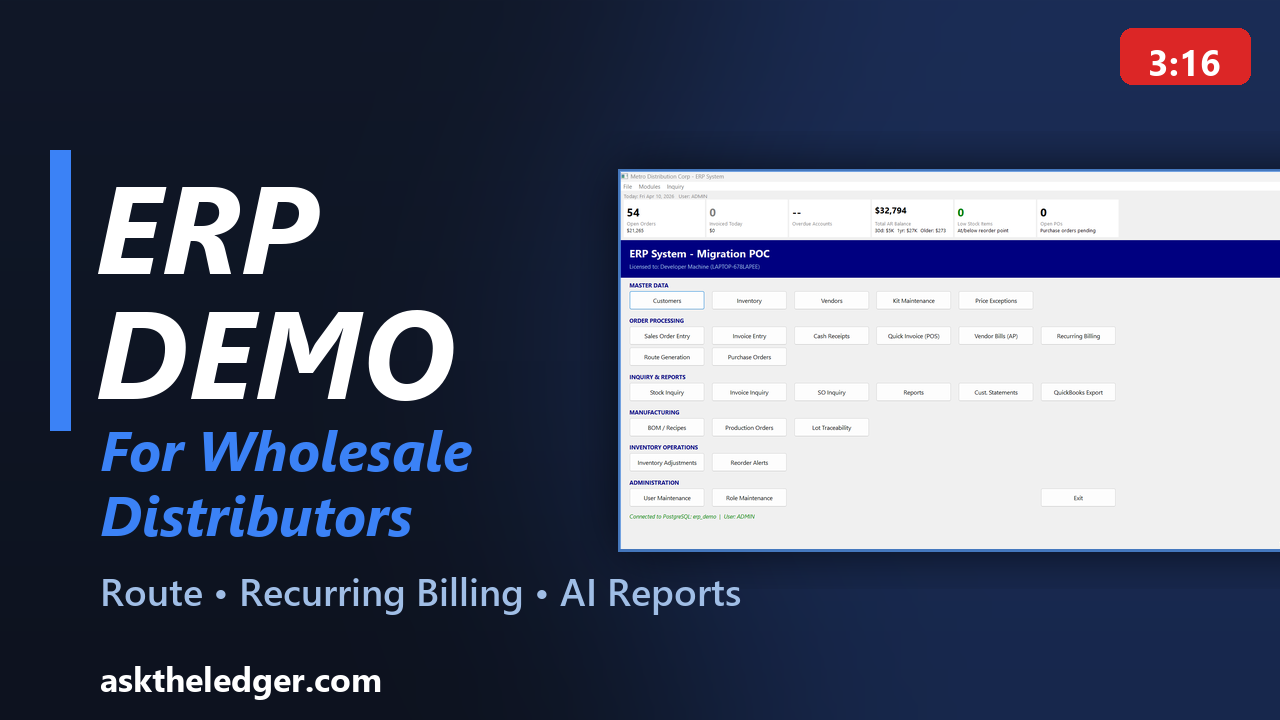
ERP Software for Wholesale Distributors
Ask the Ledger is ERP software built for wholesale distributors that need fast execution from order entry to delivery. As an on-premise ERP, it keeps your data and infrastructure under your control while supporting daily route delivery workflow.
You can automate recurring billing, answer operational questions faster with AI reporting, and run everything in a Windows desktop ERP experience your team can use immediately.
See It In Action
A quick look at how Ask the Ledger works in the real world.
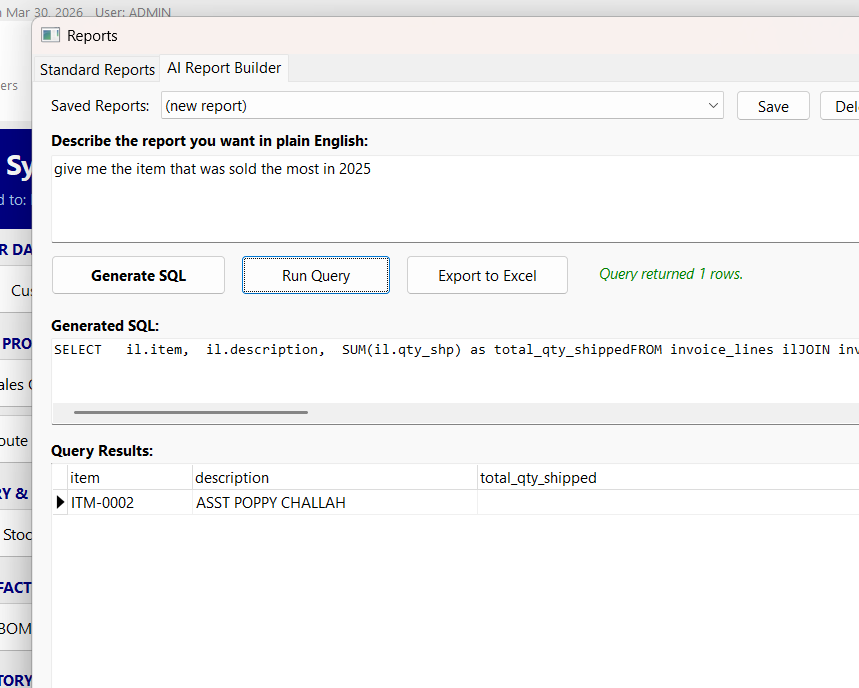
1. Ask a Question

2. Enter Orders
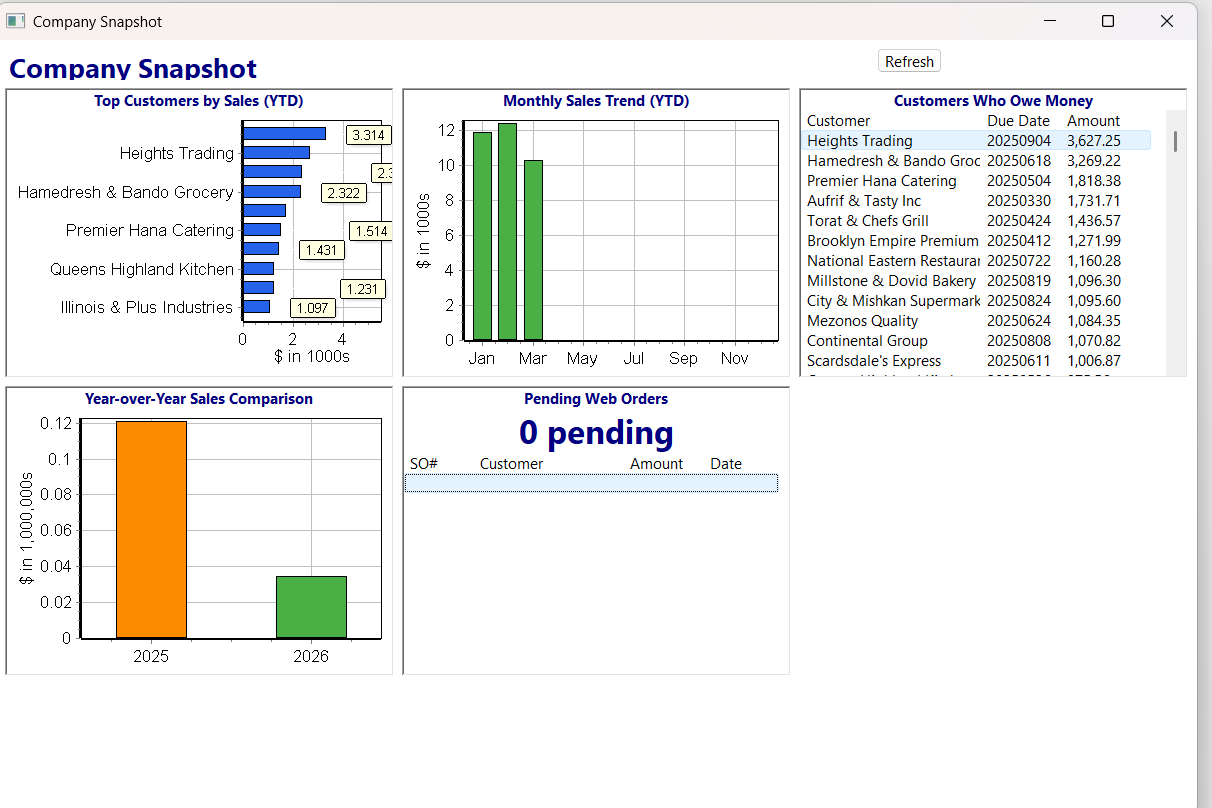
3. See the Big Picture
Just type what you need. Get answers.
No rigid report writer. No memorizing menu options. Just ask a question the way you'd ask a person, and your ledger answers with real data.
Live screen
Want to see this with your own data?
Schedule Your Live DemoRun your entire business from one place
Built for product-based businesses that need real inventory, real invoicing, and real answers from their data.
Invoicing
Create, edit, and track invoices. Multiple payment methods, credit memos, split payments. Print or save as PDF.
Customer Management
Full customer profiles with billing, shipping, tax status, credit limits, and complete transaction history.
Inventory
Track stock levels, costs, and pricing across multiple price tiers. Know what you have, what's allocated, and what to reorder.
Smart Pricing Engine
Five pricing tiers with quantity breaks, customer-specific exceptions, and automatic discount calculation.
Reports to Excel
Every report exports directly to Excel. Sort, filter, pivot, chart - your data, your way.
AI-Powered Queries
Ask questions in plain English. Get instant answers, tables, and summaries from your live business data.
Recurring Billing
Create recurring templates, preview due invoices, and generate batches with optional repricing.
Route Generation
Generate route-based invoices and print pick lists, packing slips, and driver manifests.
Sales Order Entry
Full order lifecycle with item lookup, smart pricing, ship partial orders, print confirmations, and track status through approval.
Cash Receipts
Apply payments to invoices, handle partial payments, void receipts. Automatic customer balance updates with full audit trail.
B2B Web Portal
Your customers order online 24/7 with their pricing, stock availability, and order history. Orders flow straight into your system.
Point of Sale
Touch-friendly POS with multi-location support, store favorites, booth mode for events, and per-location sales tracking.
Vendor Management
Full vendor profiles, purchase orders, receiving, and vendor bills. Track who supplies what and at what cost.
Bill of Materials
Define product recipes and assemblies. Track raw materials, components, and finished goods with production order management.
User Roles & Permissions
Six built-in roles from Admin to View-Only with granular permissions. Control who can see and do what across the entire system.
Email Invoices
Send invoices directly via email with one click. Gmail OAuth2 integration for secure sending without app passwords.
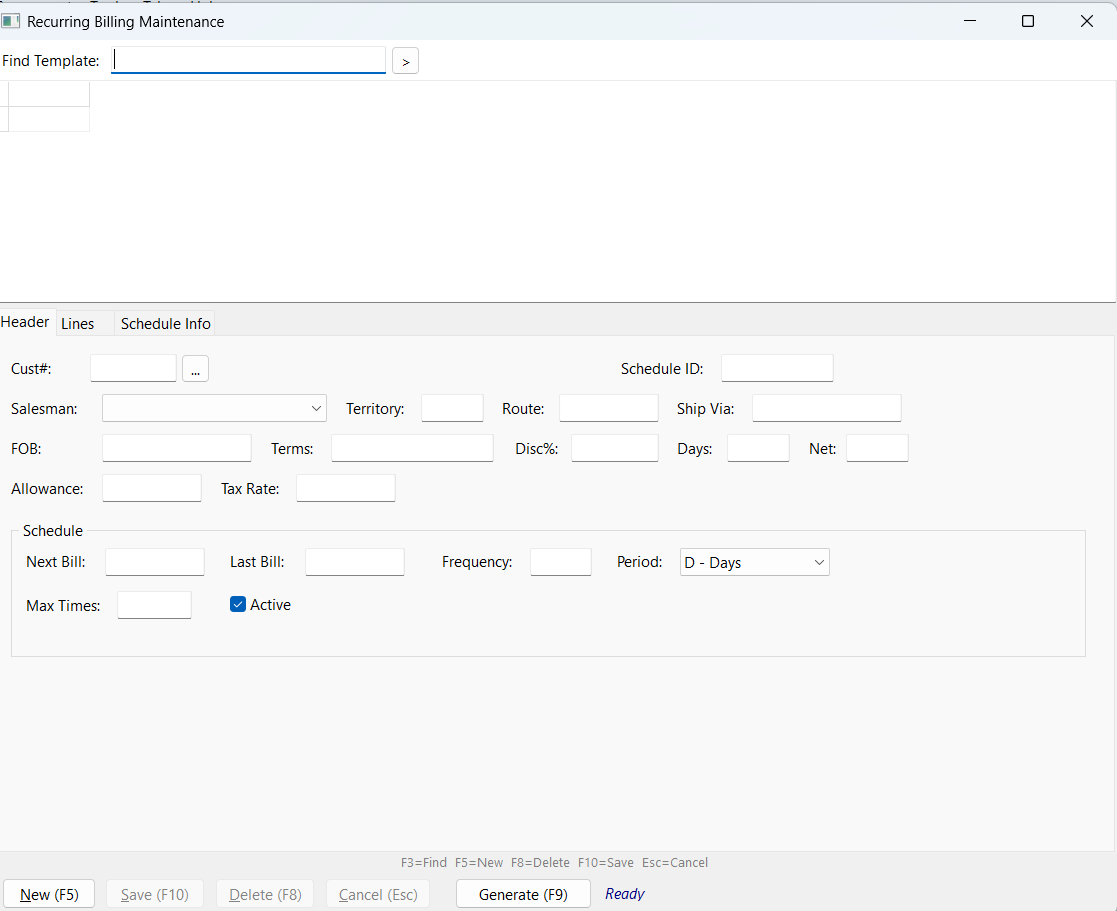
Recurring Billing
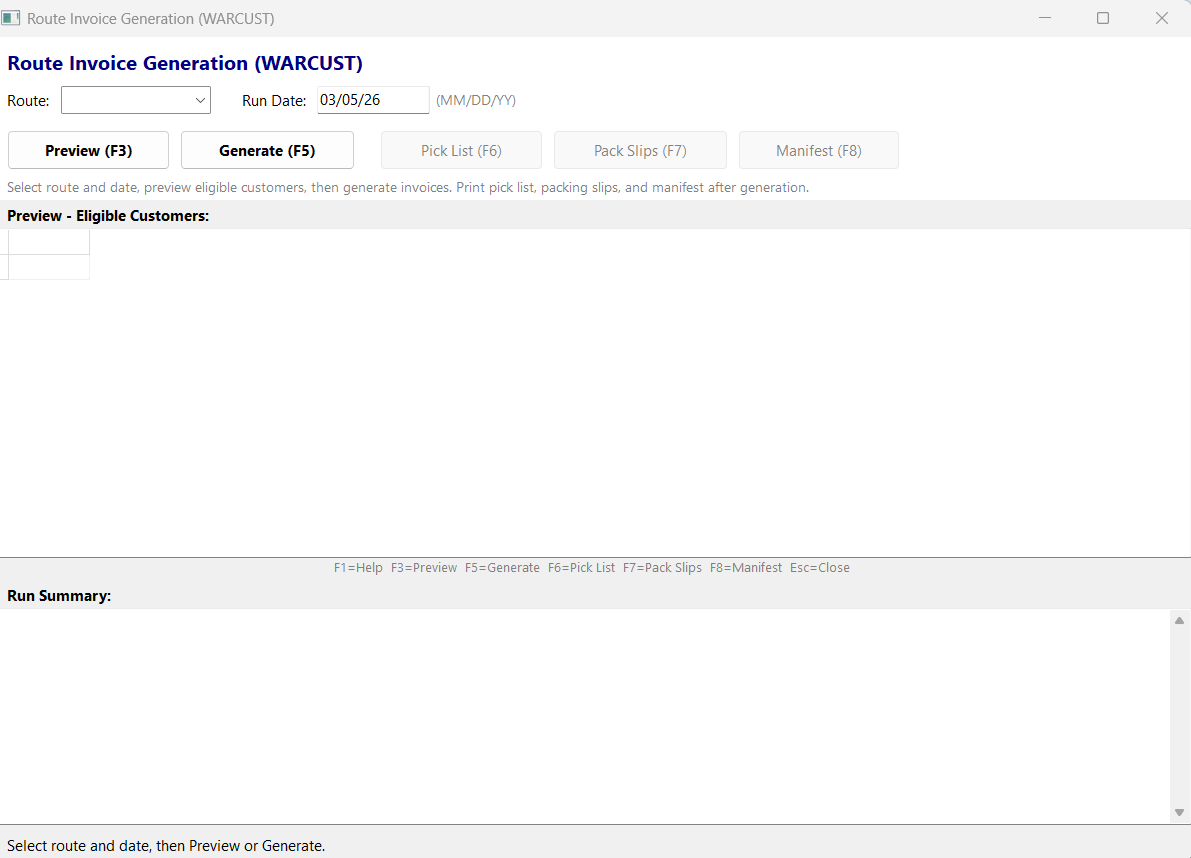
Route Generation
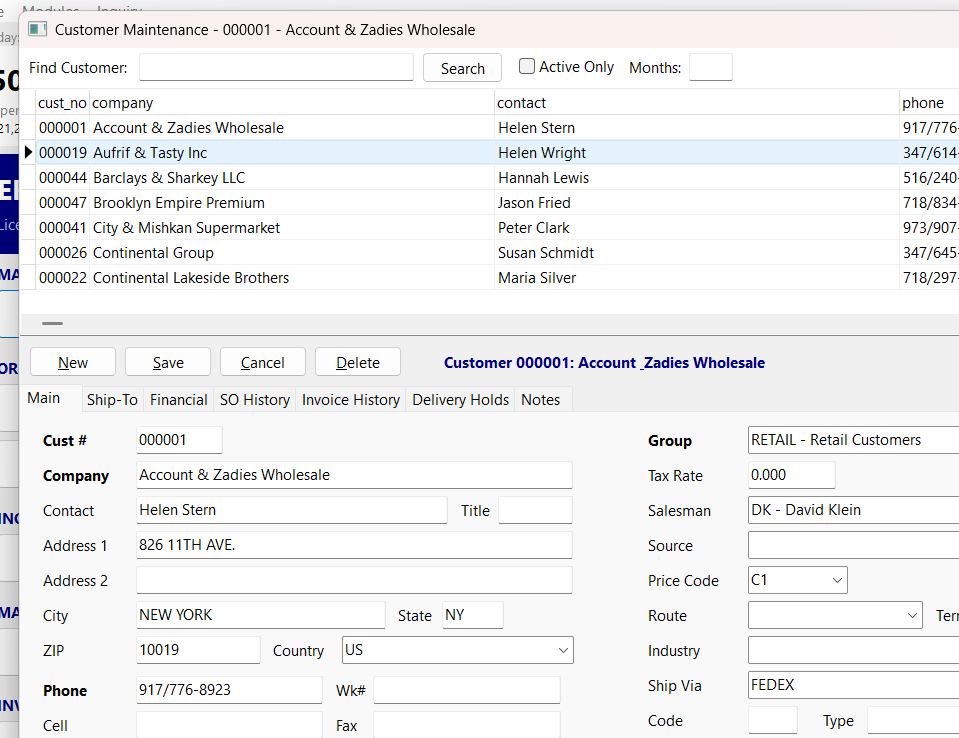
Customer Management
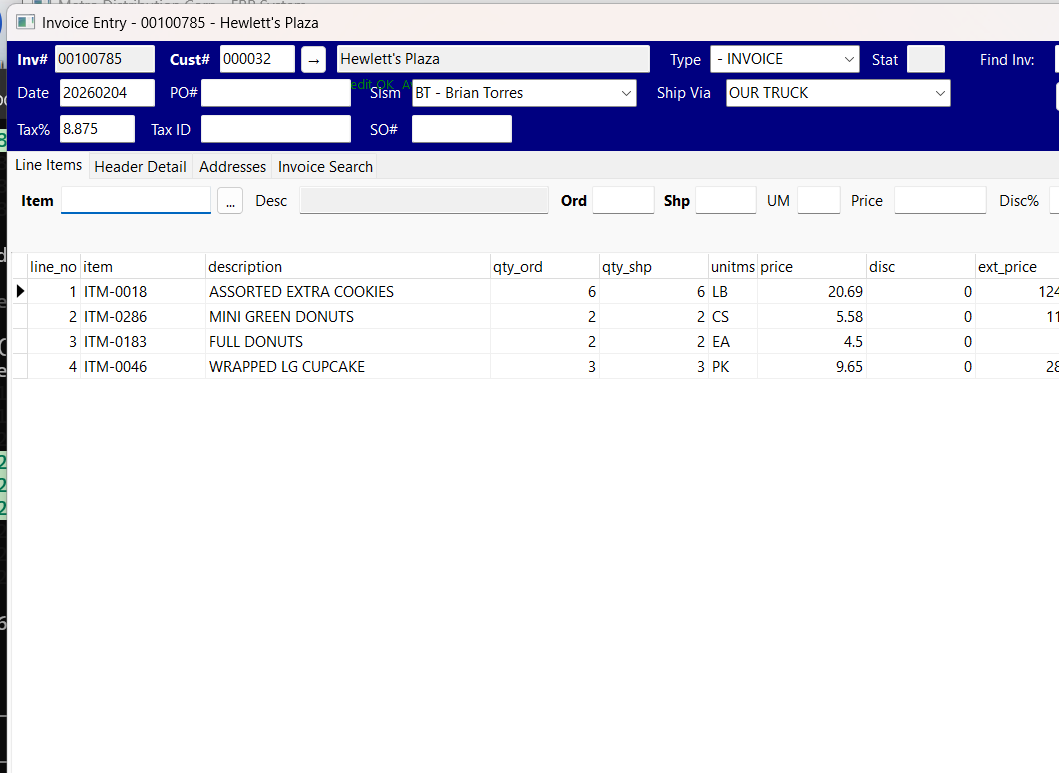
Invoice Entry
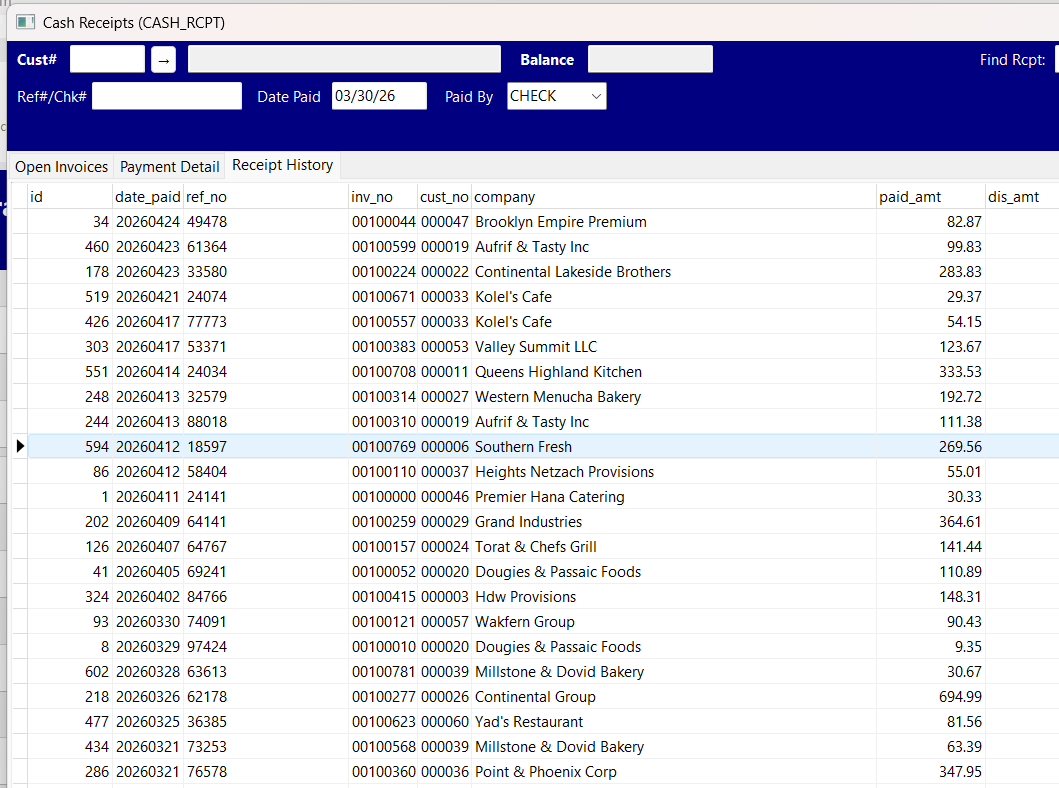
Cash Receipts
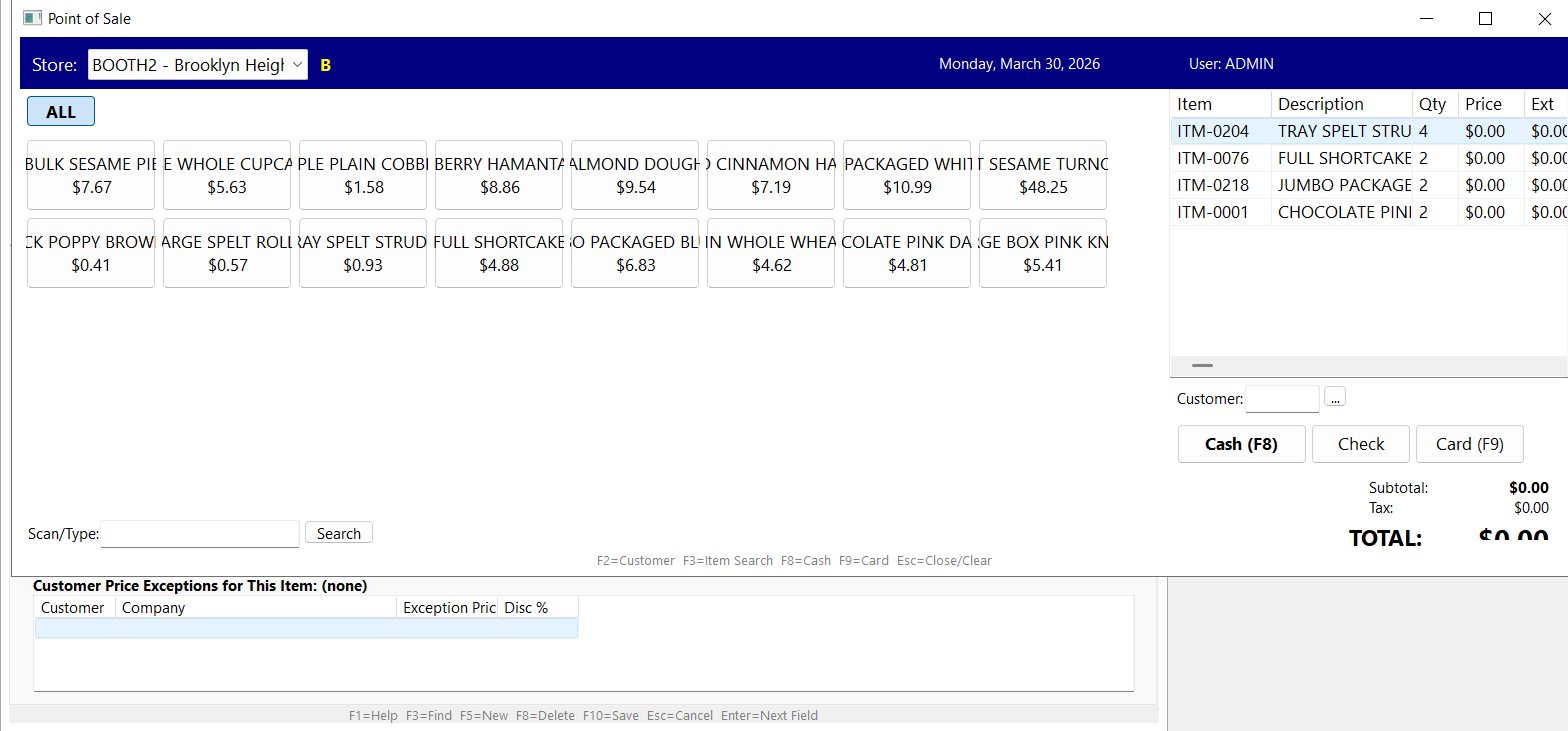
Point of Sale
Want to see this with your own data?
Schedule Your Live DemoWhat we optimize for
Distributor-fit ERP is a different optimization problem than enterprise ERP. We are not better — we are different. Here is what each side prioritizes, and where the tradeoffs honestly land.
You own your data.
Ask the Ledger runs on your own PostgreSQL server. Direct database access, your backups, your upgrade timing — with AI features on top.
| Enterprise ERPs optimize for | Ask the Ledger optimizes for | |
|---|---|---|
| Scale | Multi-entity, multi-geography, hundreds of users | One distributor with one or two entities |
| Pricing model | Per-user subscription scaling with headcount | One license fee plus maintenance, unlimited users |
| Deployment | Cloud-managed by the vendor | On your own Windows server, your control |
| Adaptability | Configurable across many industries | Distribution workflows ready out of the box |
| Implementation | Multi-month engagements with consulting partners | Faster setup, working with the founder directly |
| Vendor ecosystem | Large network of certified consultants and integrators | Solo founder, direct support, narrower ecosystem |
| Reporting | Powerful BI tools that reward skilled analysts | Plain-English questions answered against your live data |
If you need multi-entity consolidation across many subsidiaries, $50M-plus revenue with hundreds of users, or you want a vendor with a large partner network driving your roadmap — a larger platform is probably the better fit. If you are a single distributor wanting clean, distributor-specific operations on infrastructure you control, Ask the Ledger is built for that case.
Want to see this with your own data?
Schedule Your Live DemoBuilt for Legacy ERP Migration
Keep what works, modernize what doesn't, and move forward without a disruptive rewrite.
- PostgreSQL backend for performance, reliability, and long-term maintainability.
- Incremental modernization path, so you can improve in phases instead of a risky full rip-and-replace.
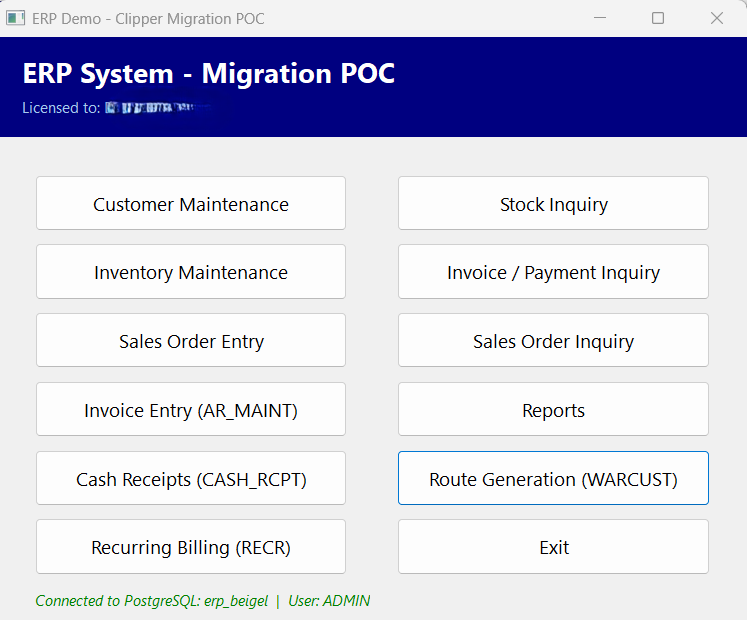
Classic Launcher with KPI dashboard and module groups
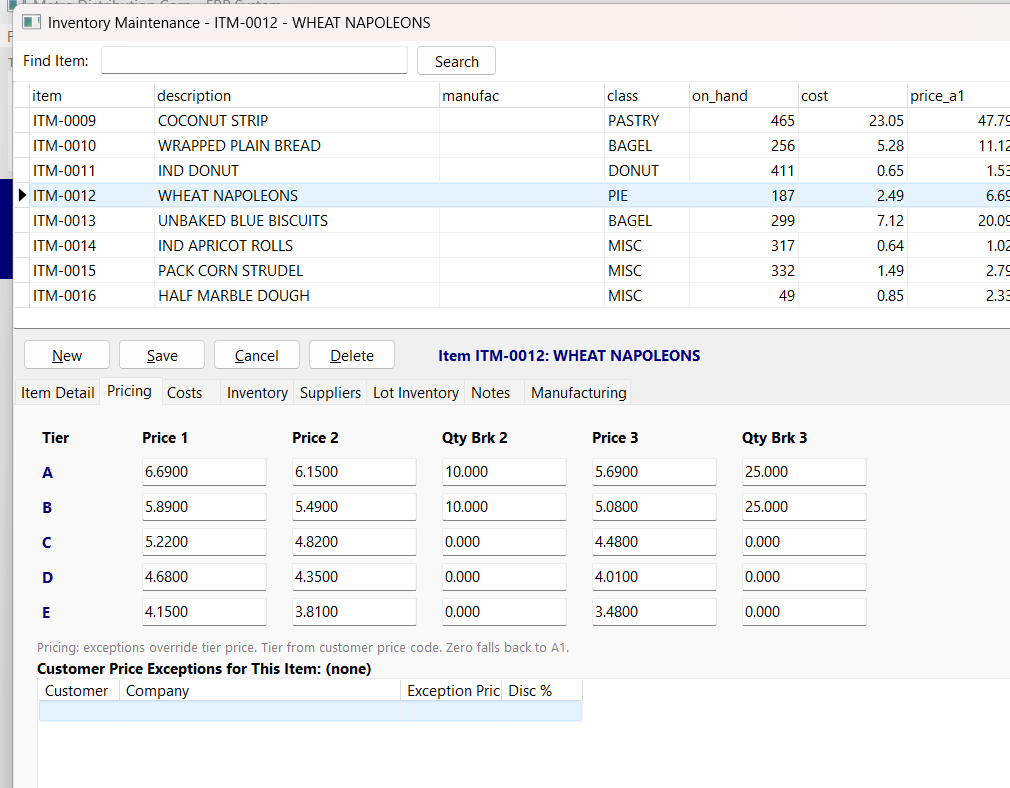
5-Tier Pricing Matrix
Compare ERP Systems
Evaluate Ask the Ledger against common alternatives for distribution teams focused on pricing control, route execution, and long-term operating flexibility.
From the Blog
Best ERP for Distributors
How to evaluate distributor ERP options in a practical way.
Cloud vs On-Premise ERP
A balanced comparison focused on distributor operations.
NetSuite Alternatives for Distributors
What to compare when evaluating alternatives.
How to Choose an ERP for Distributors
A clear framework for shortlisting and selection.
ERP Implementation Checklist
Rollout planning steps to reduce operational risk.
Ready to ask your ledger a question?
See your own data in a live demo. No commitment, no pressure - just a conversation about what's possible.
Schedule Your Live DemoFrequently Asked Questions
What is Ask the Ledger?
Ask the Ledger is an on-premise AI-powered ERP built specifically for wholesale distributors. It includes inventory, order entry, route delivery, recurring billing, B2B portal, EDI, and AI-powered reporting in one system, deployed on the customer's own Windows server.
Who is Ask the Ledger built for?
Wholesale and food distributors who want a single system covering inventory, order-to-cash, route delivery, and reporting on infrastructure they control. Best fit is one-warehouse to multi-warehouse operations under $50M revenue with under 100 users — too big for QuickBooks, often too small to justify NetSuite or SAP Business One.
Is Ask the Ledger cloud or on-premise?
On-premise. The ERP runs on the customer's own Windows server with a PostgreSQL backend. This gives full data ownership, no SaaS subscription pricing, faster local-network performance, and independence from cloud vendor uptime. Customers who prefer hosted deployment can run it on a private VM.
How does Ask the Ledger compare to NetSuite, Acumatica, or QuickBooks?
Ask the Ledger is narrower and more opinionated than NetSuite or Acumatica — distribution workflows are built in rather than configured. It's bigger and more capable than QuickBooks for distributors who have outgrown QB's inventory, multi-warehouse, or route-delivery limits. The right comparison depends on your size and where you are in the QB-to-mid-market journey. See vs NetSuite, vs Acumatica, or vs QuickBooks for detail.
What features should distributor ERP include?
Core features include fast order entry, customer and item management, multi-warehouse inventory, route planning, recurring billing, B2B web portal for customer self-service, point of sale, vendor management, purchase orders, user role permissions, AR visibility, and reporting that managers can use without writing SQL or pivoting spreadsheets.
How long does ERP implementation take?
Typical mid-market distributor ERP migration takes 6–12 months from contract to go-live. Smaller distributors with cleaner data can complete in 4–6 months; complex multi-warehouse, multi-entity, or heavily customized setups run 12–18 months. The biggest variable is data quality going in, not software complexity. See the ERP migration checklist for detail.
Schedule Your Live Demo
Tell us a bit about your business and what you need. We'll follow up soon.