Most wholesale distributors still take a majority of their orders by phone, email, and fax. Customers call in an order, someone writes it down, someone else keys it into the ERP, and a confirmation gets emailed back. It works, but it burns hours every day, introduces typos, and limits your office to business hours.
The Ask the Ledger B2B distributor portal replaces that workflow — or runs alongside it — with a self-service site your wholesale customers log into to browse the catalog, place orders, check invoice history, and view their account. Everything a customer sees and does is tied to the same live database as your desktop ERP. There is no sync layer, no nightly batch, and no third-party integration to maintain.
B2B distributor portal vs dealer portal vs B2B ecommerce — what’s the difference?
The terms get used interchangeably. They all describe the same category of software: a customer-facing site connected to a wholesale distributor’s ERP, where business buyers log in to see their pricing, place orders, and manage their account. The naming usually depends on industry vocabulary:
- B2B distributor portal — common in food, beverage, janitorial, and industrial supply distribution. Customers are typically retailers, foodservice operators, or other businesses ordering for resale or use.
- B2B dealer portal — common in auto parts, equipment, and hardware distribution where the seller’s customers are referred to as dealers. Same software, different audience naming.
- B2B ecommerce for distributors — the broader research-stage term that covers the whole category. Often used in software reviews and analyst reports.
- B2B web portal or B2B customer portal — generic terms, same idea.
Whatever you call it, what wholesale distributors and their customers actually need is the same: real-time inventory, customer-specific pricing, fast reorder, order tracking, and account visibility — all connected to the system that runs the back office. The rest of this page covers what Ask the Ledger’s portal does, with examples of each capability.
Login with per-customer controls
Each customer account gets a login tied to their customer number. From the Web Access tab on the customer record in the ERP, you control what they can do: view-only versus ordering, require a PO number, a maximum order amount, whether orders auto-approve or queue for review, whether they see stock levels and price breaks, whether their catalog is restricted to authorized items, and more.
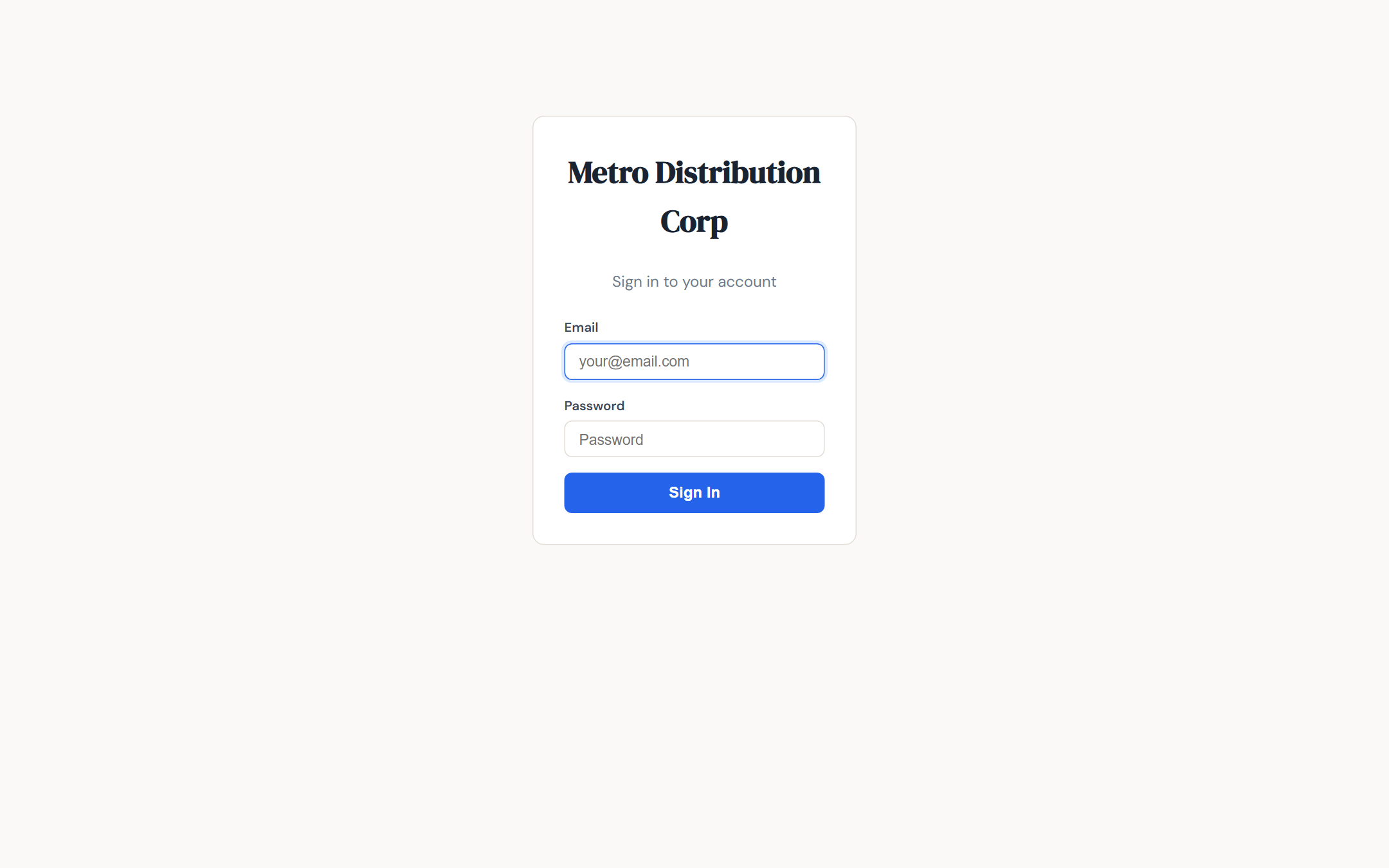
Customer login — one account per customer number
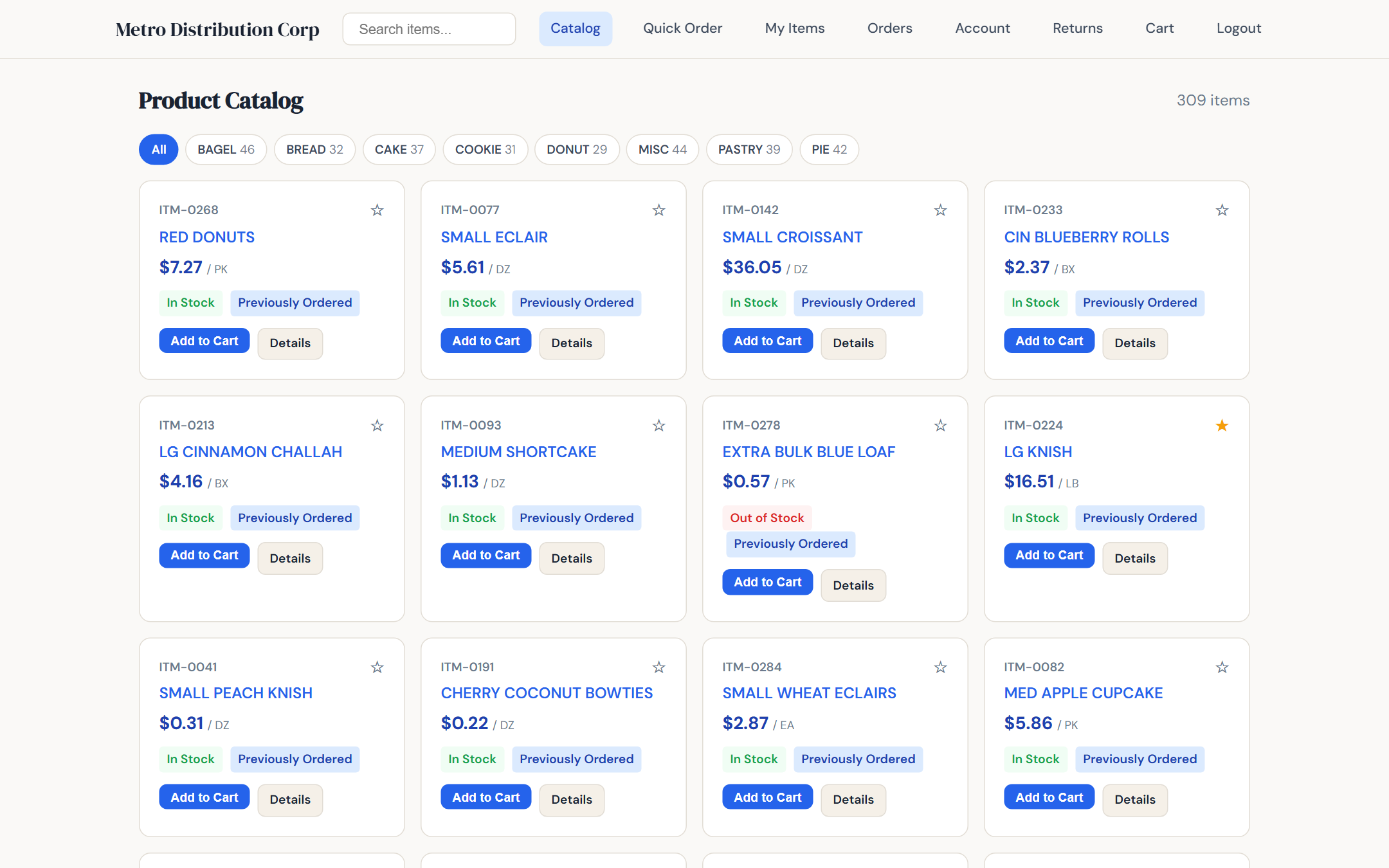
Catalog with search, categories, and customer pricing
Customer-specific pricing, everywhere
When a customer logs in, every price they see — on the catalog, on item detail pages, in the quick order form, in the cart, on their order history — uses their contract pricing. The same 5-tier pricing engine that runs the desktop ERP runs the portal. There is no duplicate price list to maintain and no risk of the portal showing one price and the invoice showing another.
Tier-level pricing is visible on the item detail page when lower tiers exist, so customers can see the full pricing picture at a glance. Each item also shows their previously ordered quantity and date — a simple but surprisingly useful cue for reorder decisions.
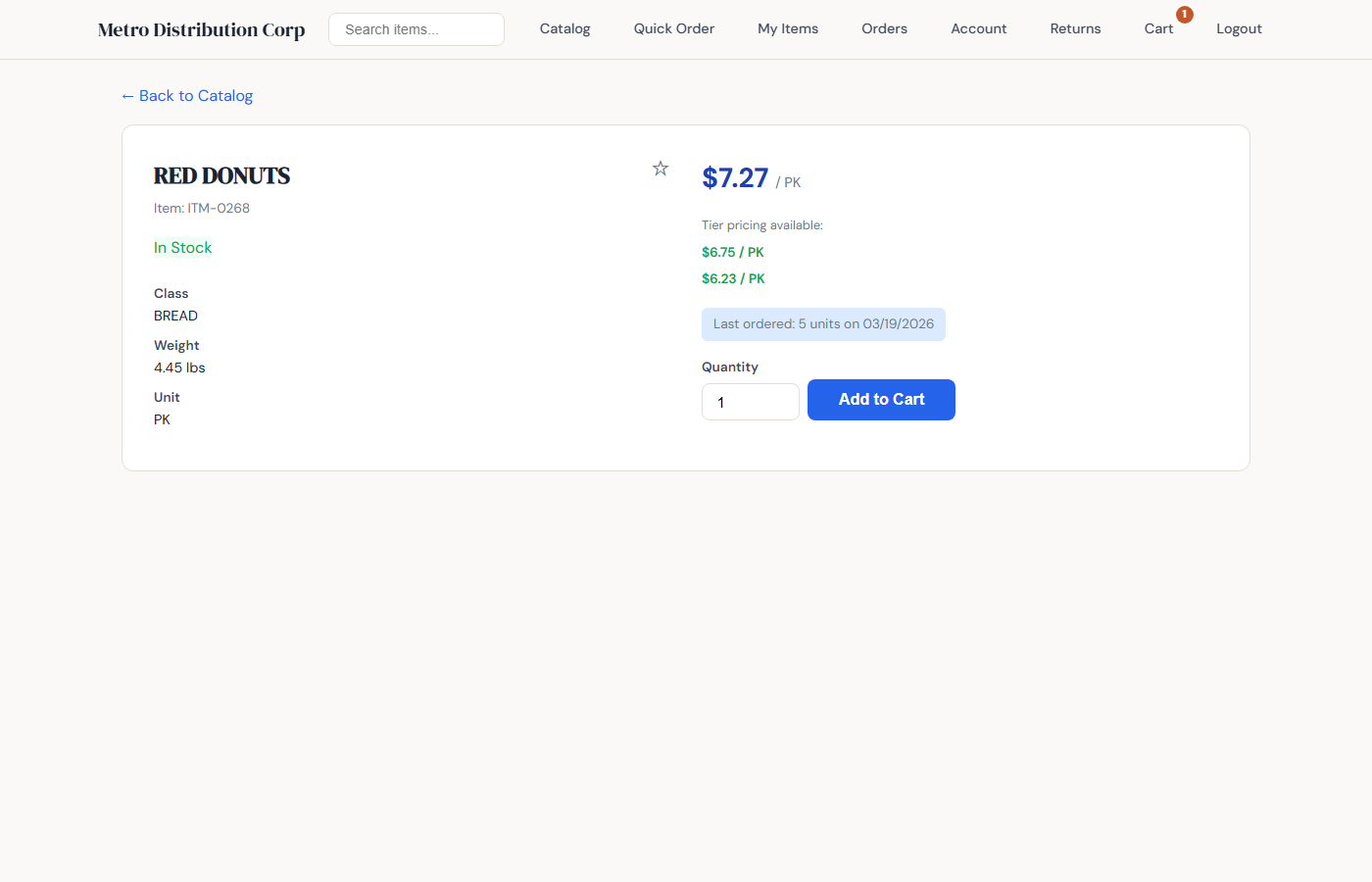
Item detail with tier pricing and last ordered
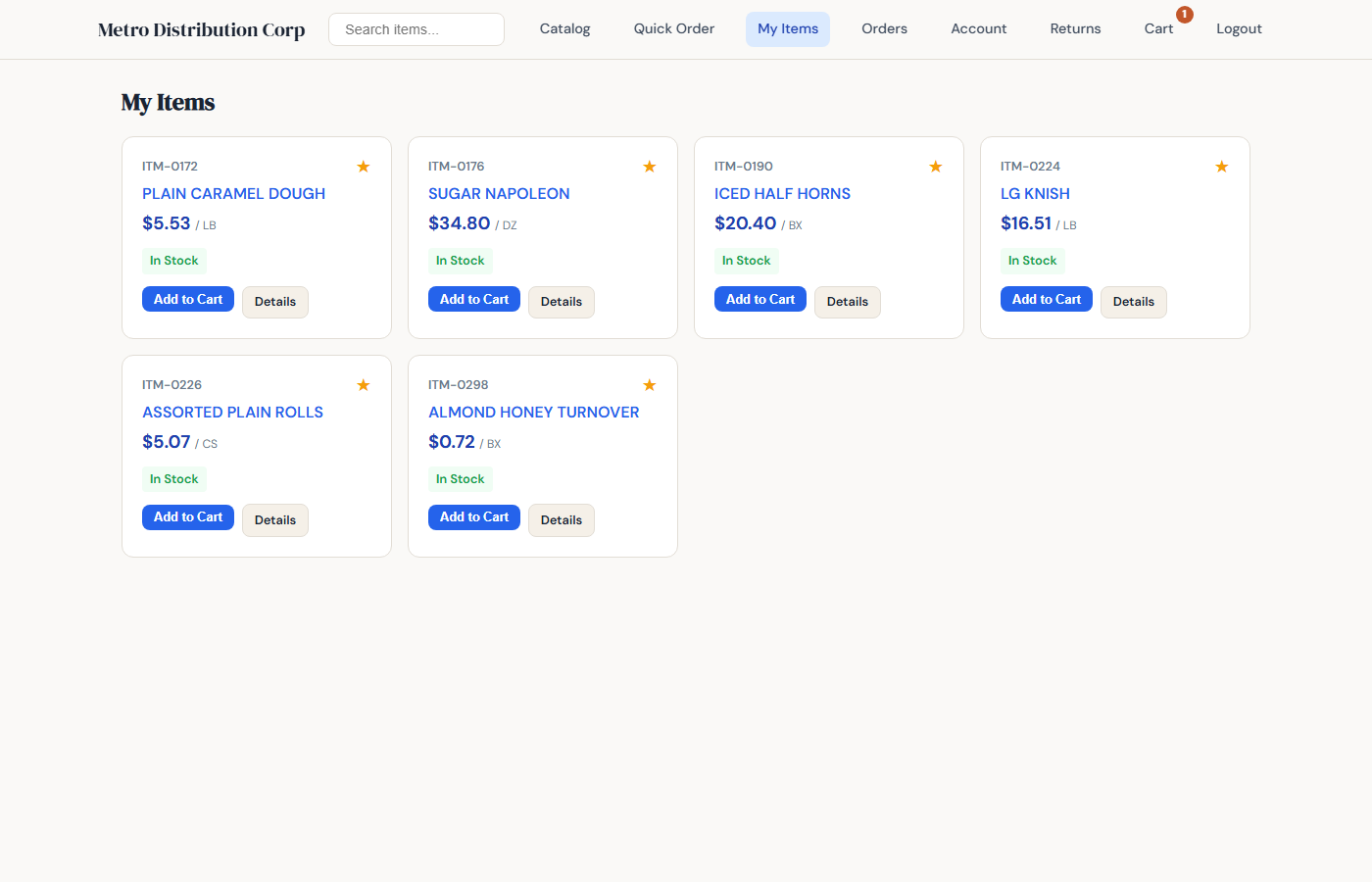
My Items — starred favorites for fast reorder
Quick order and reorder
Customers who know exactly what they want do not need to click through the catalog. The Quick Order screen is a multi-row form with live item lookup: start typing a code or description, pick the match, enter a quantity, and add the next row. A typical ten-line order takes under a minute.
For recurring orders, every past order and every past invoice has a one-click Reorder button. It copies all lines into a new cart using today's pricing. The customer reviews, adjusts if needed, and submits. Returning customers place most of their orders this way.
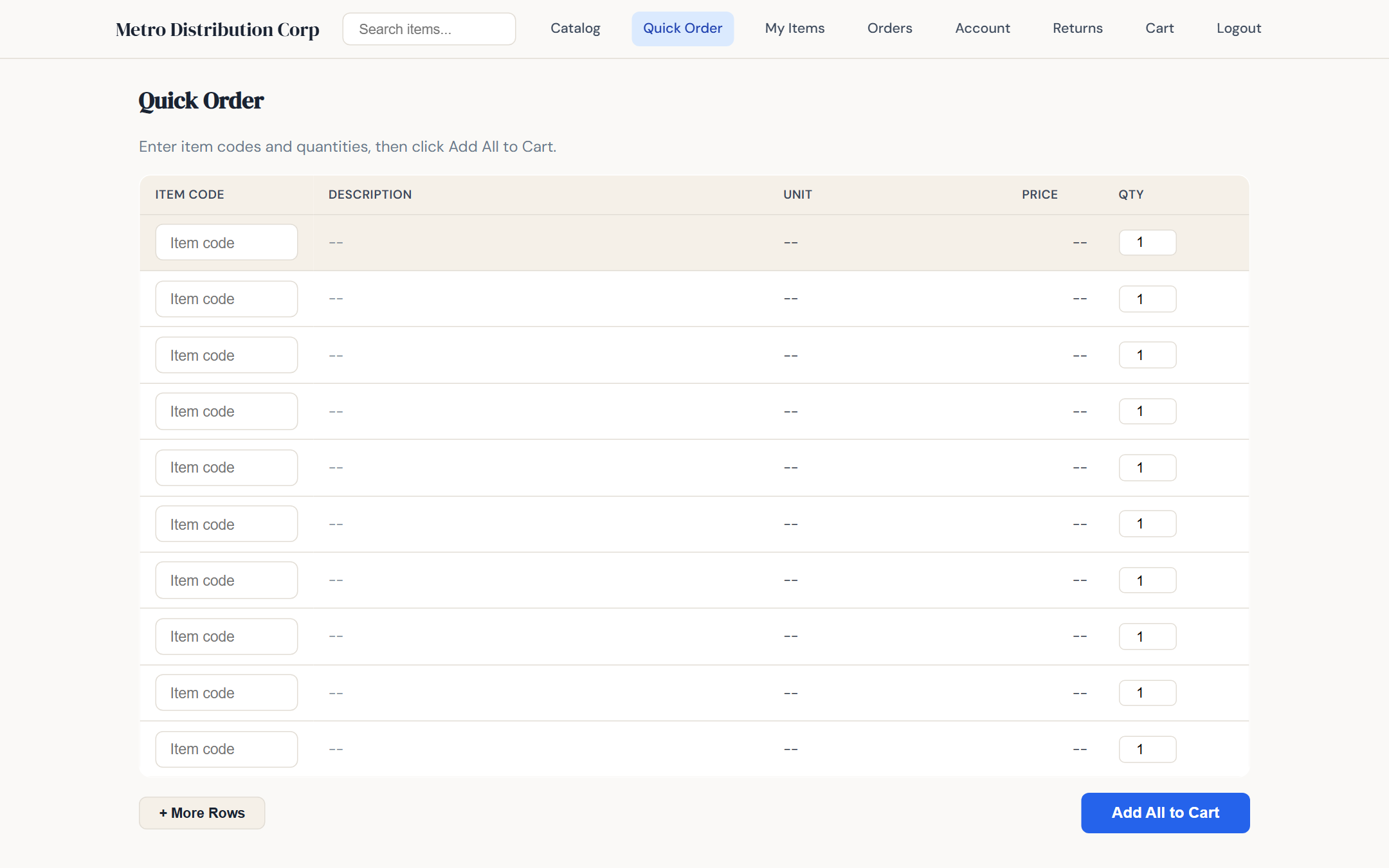
Quick order with live item lookup
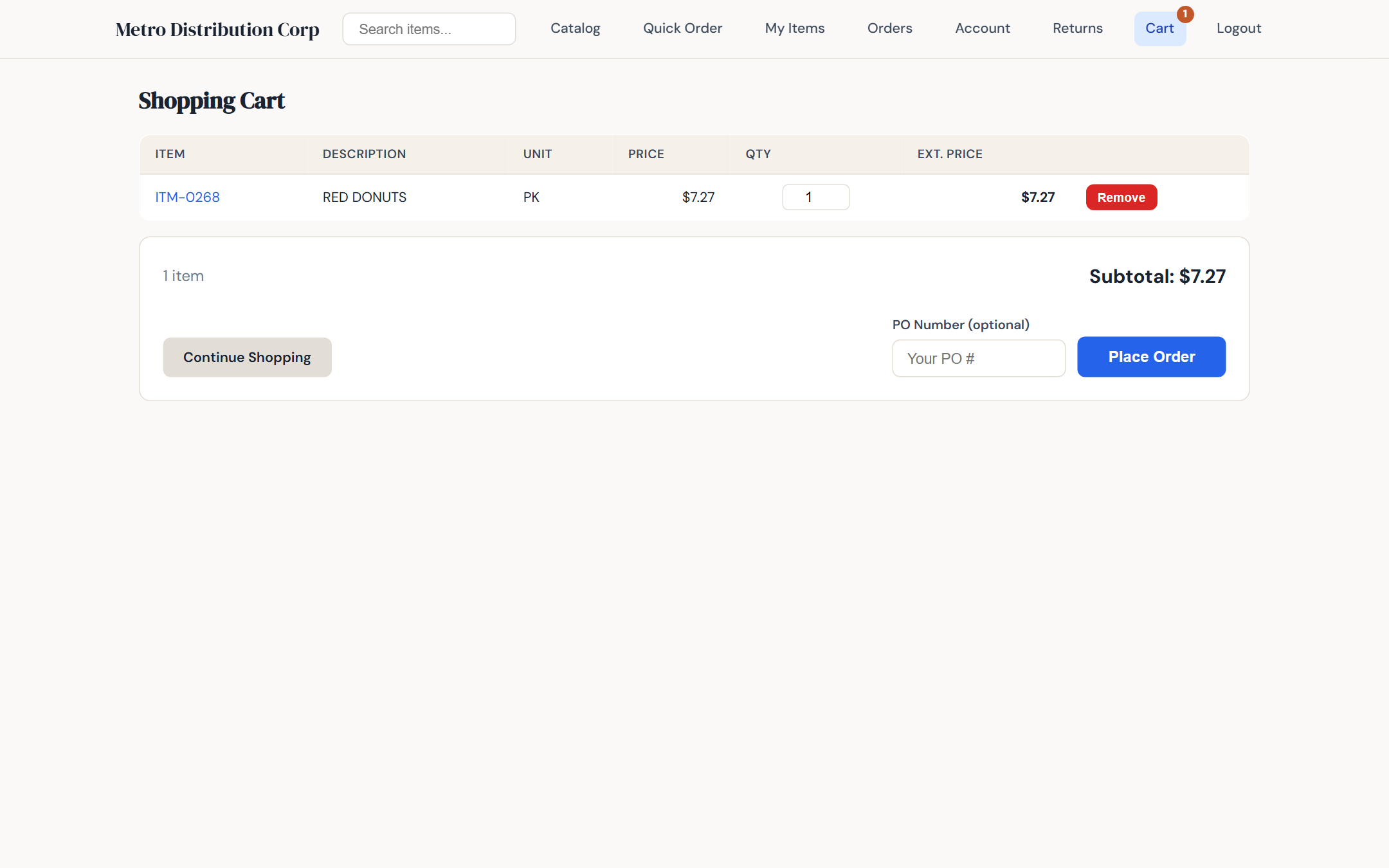
Cart with PO number and ship-to selector
Order tracking with granular status
The moment a customer submits an order on the portal, it lands in the ERP sales order queue with source = WEB. As your team processes it — approves, picks, ships, delivers — the portal shows the current status in real time with clear badges: Submitted, Approved, Picking, Shipped, Delivered. No more "did my order ship yet?" phone calls.
The invoice history section gives customers full access to their invoices, with a print-friendly view and a reorder button on each one.
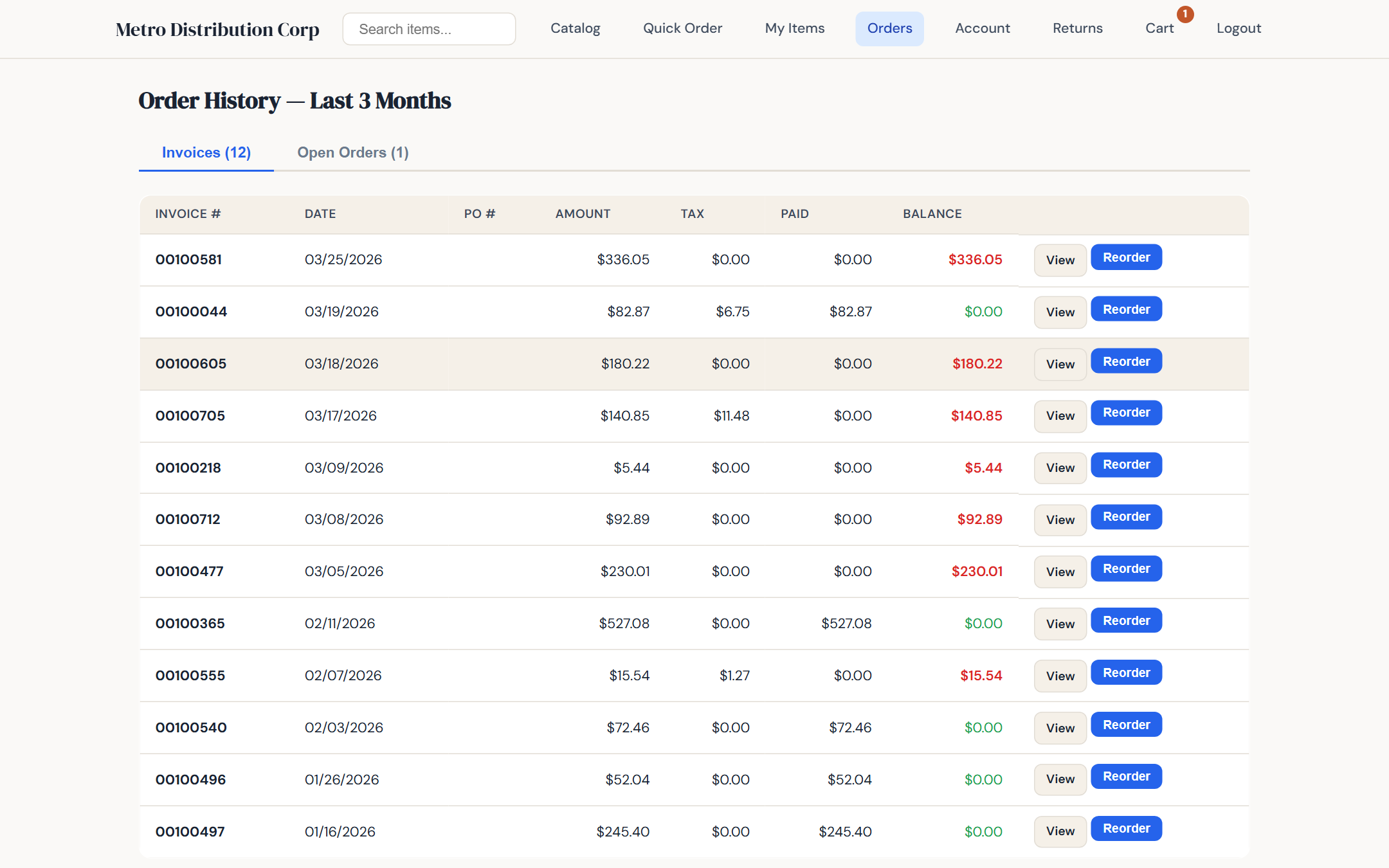
Order history with live status badges
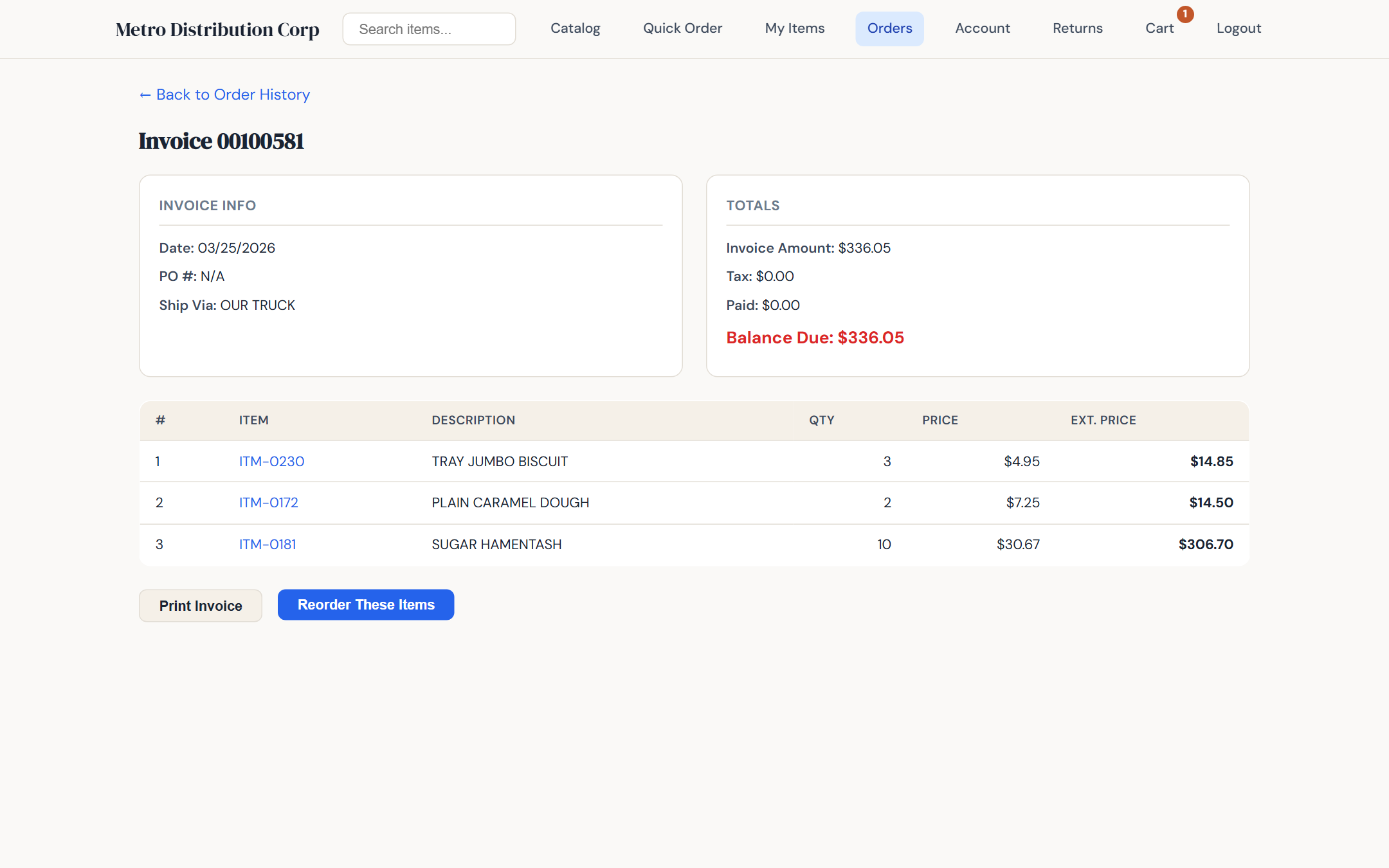
Invoice detail — print-friendly, one-click reorder
Account balance, statement, and delivery schedule
The Account section shows each customer their current balance, open invoices grouped into aging buckets (current, 30, 60, 90+), and recent payments. They can pull a statement and print it from the browser. For distributors on a route schedule, the profile page shows their assigned route and the next delivery date, so customers know exactly when to have their order in.
You control visibility per customer: if you prefer a particular customer not see their balance online, toggle it off on the Web Access tab.
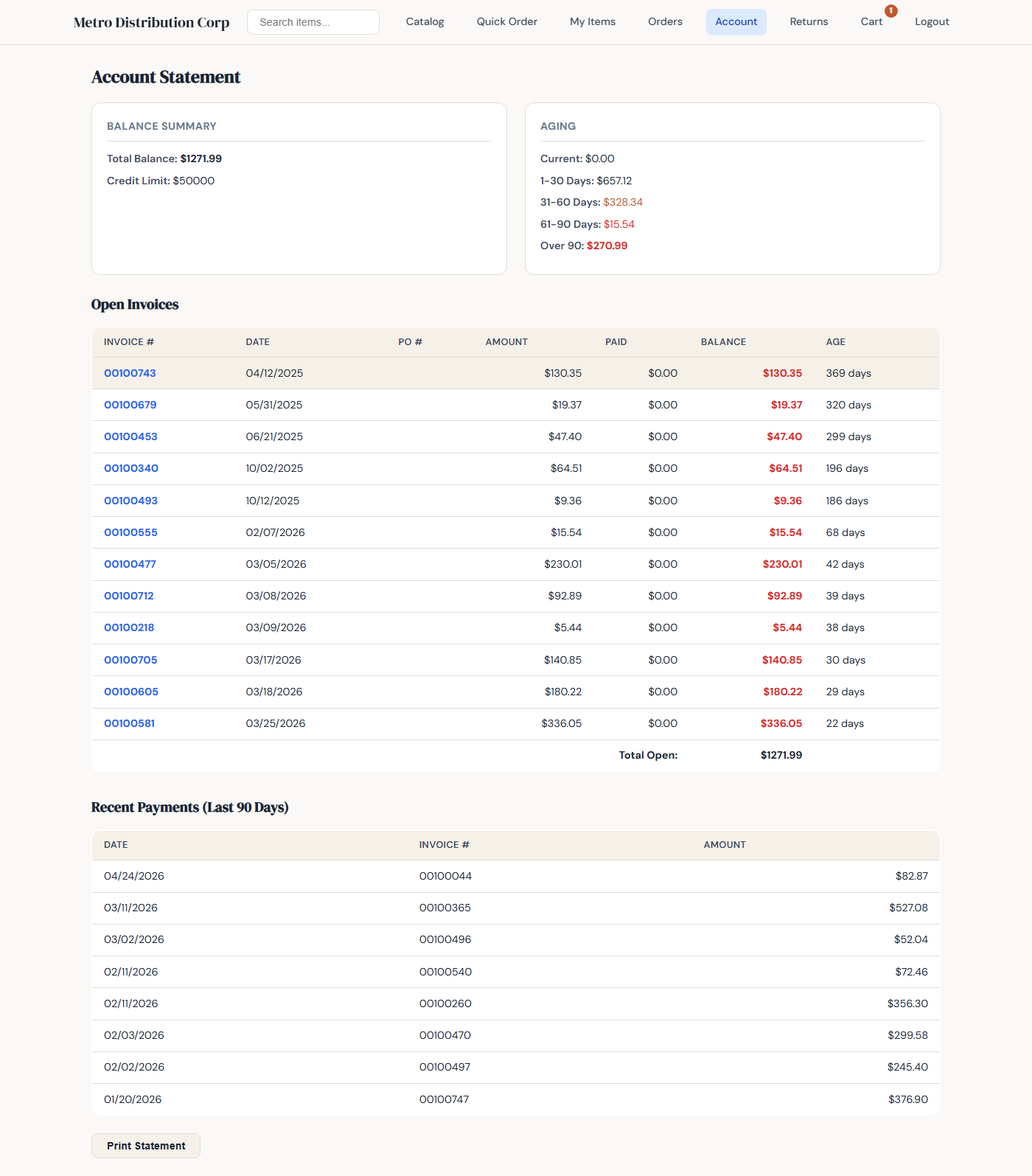
Statement with aging buckets and recent payments
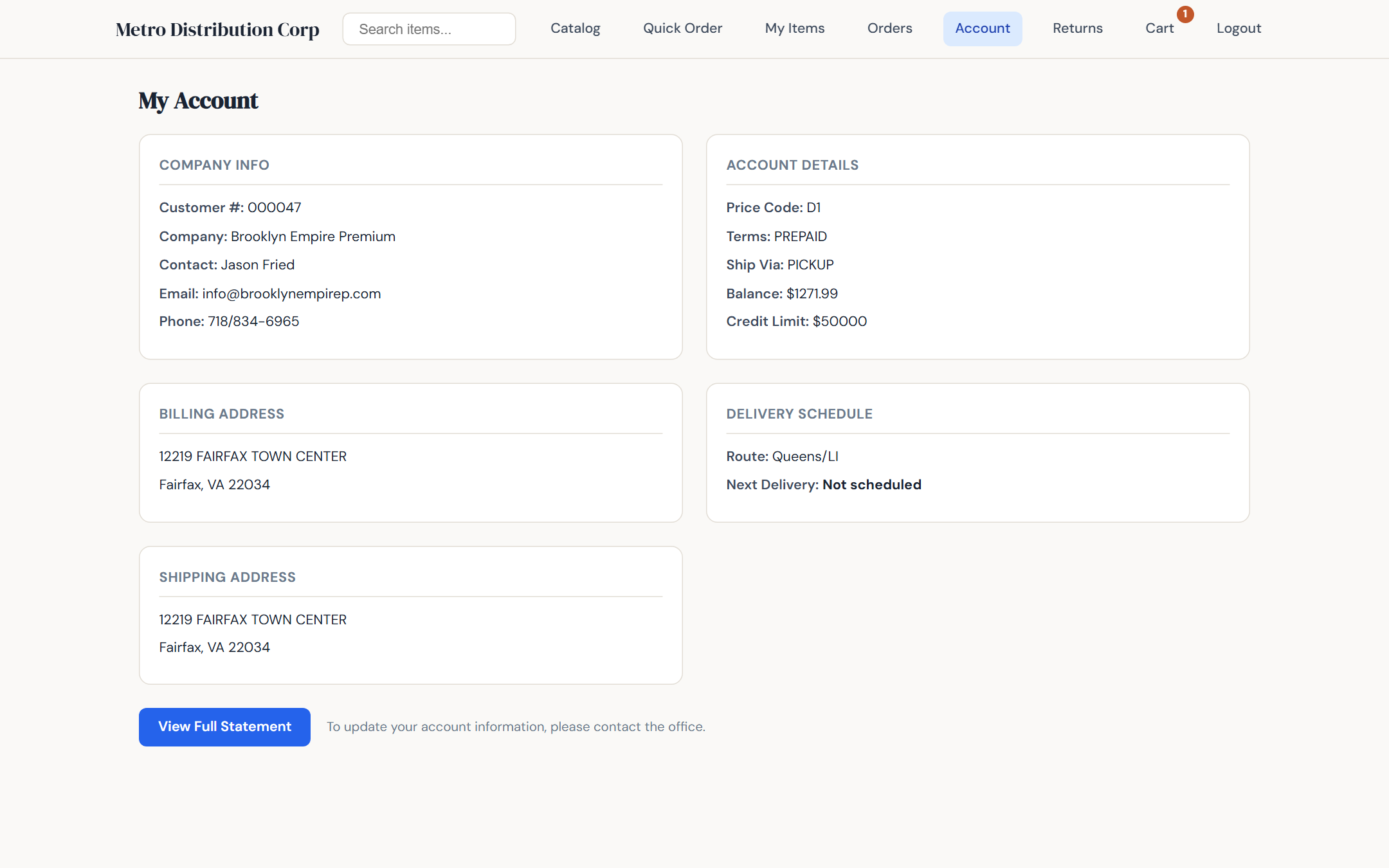
Profile with delivery schedule and route
Returns and credit requests
Customers can start a return directly from a past invoice line. They pick the item, enter the quantity, and choose a reason. The credit request goes straight into the ERP for your team to review, approve, and issue the credit memo. Customers see the status of their request on the portal until it is resolved.
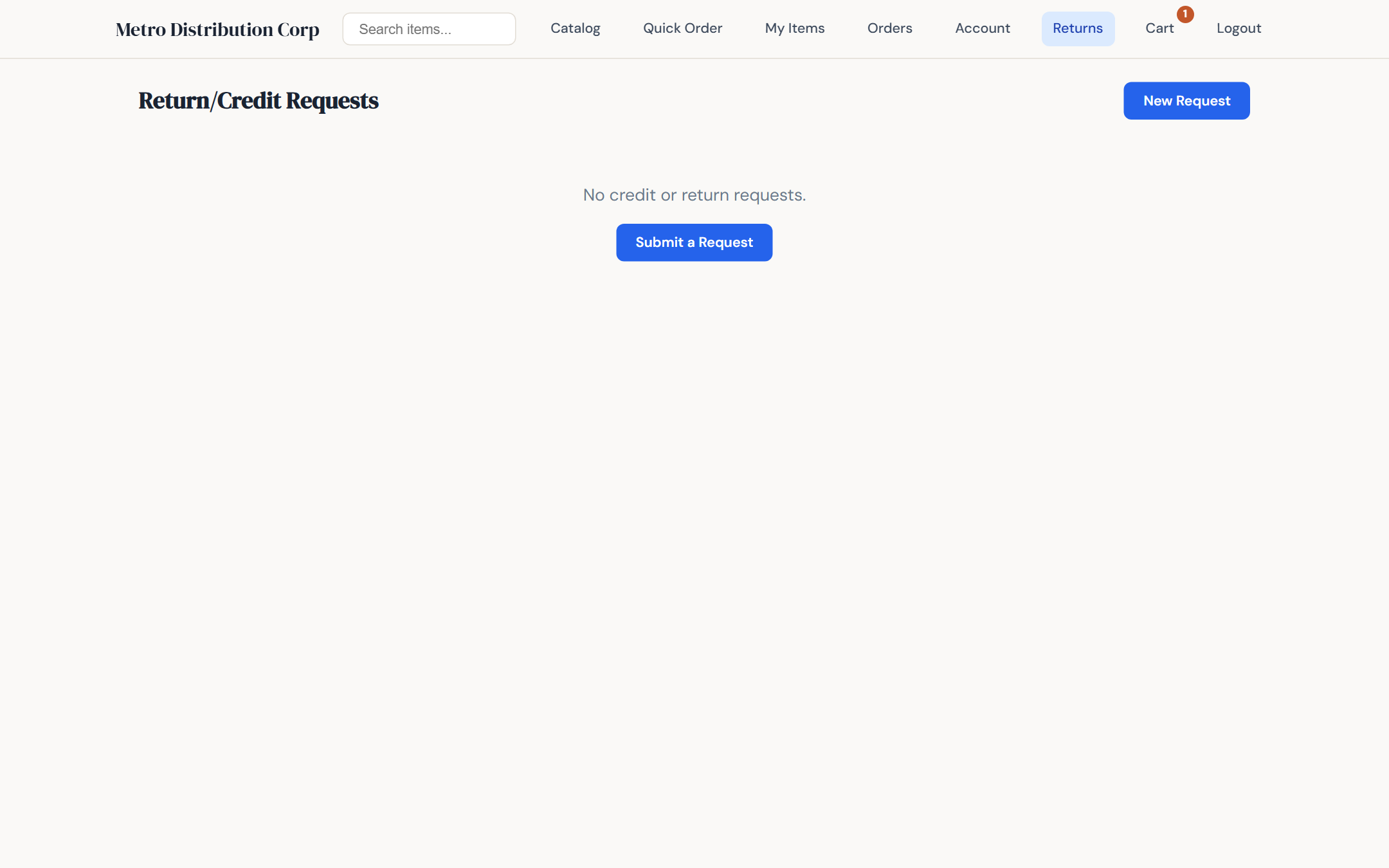
Returns with status tracking
No sync layer, no integration tax
The portal and the desktop ERP connect to the same PostgreSQL database. When a customer clicks Submit, a sales order is inserted into the same table the desktop app reads from. When your sales rep adds a new item in the ERP, it is on the portal the moment the transaction commits. No nightly job. No staging database. No webhook to debug when it fails silently.
This is the single biggest advantage of running the portal on an on-premise ERP built for it. The portals that bolt onto cloud ERPs have to reconcile two systems forever, and every reconciliation has failure modes. Here, there is only one source of truth.
Hosted on your server, on your domain
The portal runs on the same server as your ERP or on a small VM alongside it. Deploy it at portal.yourcompany.com — your customers never see the words "Ask the Ledger," only your brand. SSL is standard. Authentication uses bcrypt hashing, lockout after repeated failures, and per-user session handling.
Who benefits most
- Food and bakery distributors — recurring orders from restaurants, cafes, and grocers reorder in seconds
- Hardware and plumbing distributors — contractors place after-hours orders for next-day pickup
- Janitorial and paper distributors — facility managers reorder monthly supplies without calling
- Beverage and specialty distributors — accounts order with confidence using their negotiated pricing
- Any wholesale distributor whose office spends hours every day keying in phoned-in orders
The B2B distributor portal as part of the full system
The B2B distributor portal is a module of Ask the Ledger, not a separate product or a separate subscription. Every customer, item, price, order, invoice, and credit memo you see on the portal is the same record you see in the ERP. That is the point. Whether you call it a B2B dealer portal, a B2B portal for wholesalers, or B2B ecommerce for distributors, what matters is that there is one source of truth and one place to maintain it.
For the full feature set, see Features. To see the portal with your catalog and your customers, request a live demo.
See the portal with your products
Schedule Your Live DemoExplore more
- Full feature list
- On-Premise ERP
- Point of Sale Software
- Route Delivery Software
- ERP for Food Distributors
- ERP for Bakeries
- Best ERP for Distributors in 2026