Your business data should answer back
Windows desktop ERP for small businesses. Manage customers, invoices, inventory, and reports - and ask your data questions in plain English.
Born from a battle-tested distribution system, rebuilt for Windows with AI on top.
See It In Action
A quick look at how Ask the Ledger works in the real world.
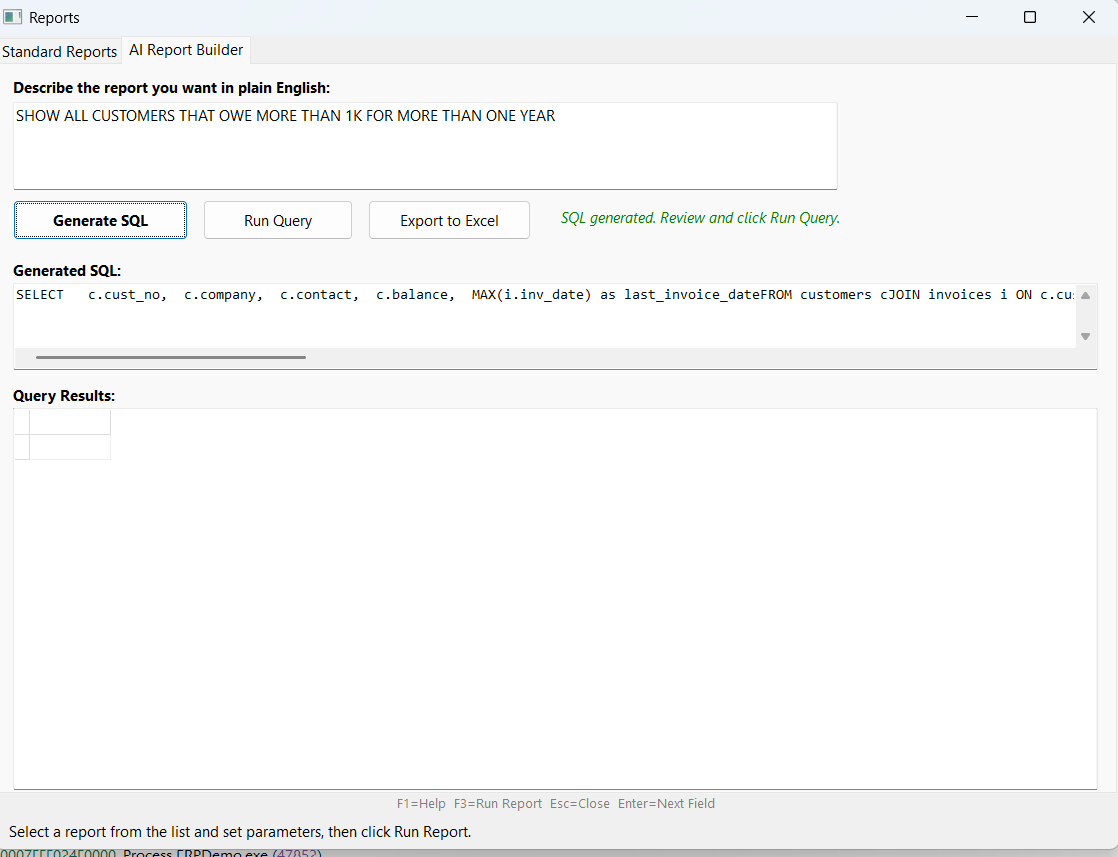
1. Ask a Question
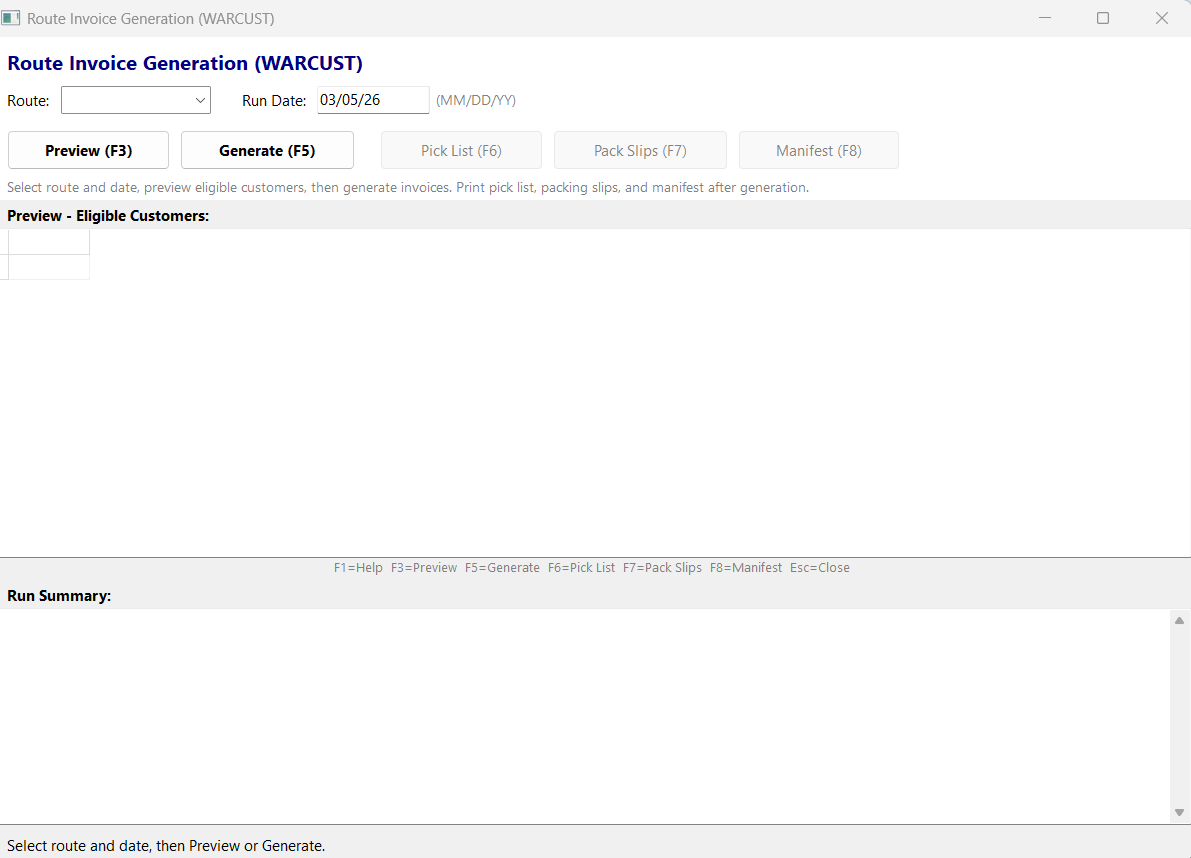
2. Generate Routes
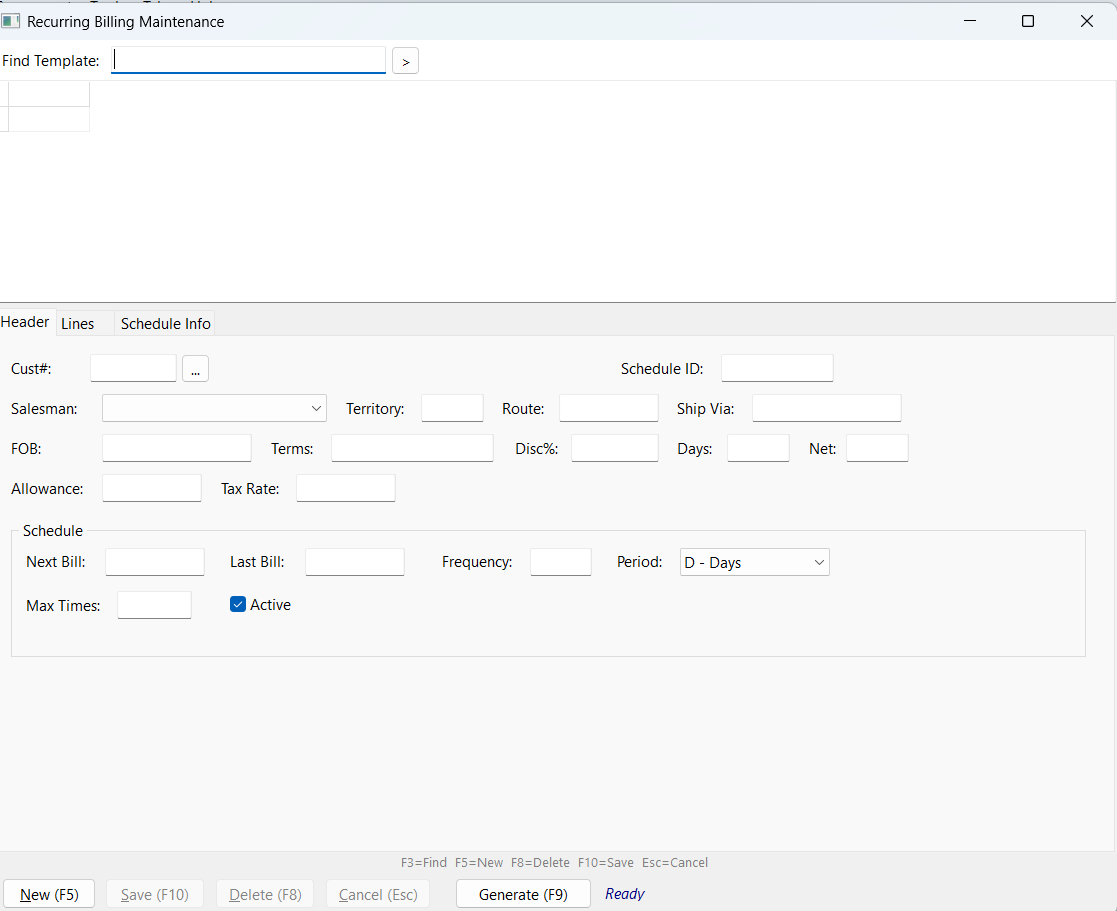
3. Recurring Billing
Just type what you need. Get answers.
No rigid report writer. No memorizing menu options. Just ask a question the way you'd ask a person, and your ledger answers with real data.
Live screen
Want to see this with your own data?
Schedule Your Live DemoRun your entire business from one place
Built for product-based businesses that need real inventory, real invoicing, and real answers from their data.
Invoicing
Create, edit, and track invoices. Multiple payment methods, credit memos, split payments. Print or save as PDF.
Customer Management
Full customer profiles with billing, shipping, tax status, credit limits, and complete transaction history.
Inventory
Track stock levels, costs, and pricing across multiple price tiers. Know what you have, what's allocated, and what to reorder.
Smart Pricing Engine
Five pricing tiers with quantity breaks, customer-specific exceptions, and automatic discount calculation.
Reports to Excel
Every report exports directly to Excel. Sort, filter, pivot, chart - your data, your way.
AI-Powered Queries
Ask questions in plain English. Get instant answers, tables, and summaries from your live business data.
Recurring Billing
Create recurring templates, preview due invoices, and generate batches with optional repricing.
Route Generation
Generate route-based invoices and print pick lists, packing slips, and driver manifests.
Recurring Billing
Route Generation
See how it fits your workflow
Book a WalkthroughHow we compare
Built specifically for small product businesses - not a bloated enterprise tool scaled down.
No cloud lock-in.
Ask the Ledger runs on your server. You own your data, your backups, and your future - with AI features on top.
| Typical ERP | Ask the Ledger | |
|---|---|---|
| Setup time | 3-6 months | Days, not months |
| Upfront cost | $50K-$200K | Simple monthly plan |
| Per-user fees | $50-100/user/month | Unlimited users included |
| Reports | Rigid report builder | Ask in English + Excel export |
| Your data | In their cloud | On your server, you own it |
| Customization | $200/hr consulting | Built around your workflow |
| Training needed | Weeks of training | If you can use Windows, you're set |
Built for Legacy ERP Migration
Keep what works, modernize what doesn't, and move forward without a disruptive rewrite.
- PostgreSQL backend for performance, reliability, and long-term maintainability.
- Incremental modernization path, so you can improve in phases instead of a risky full rip-and-replace.
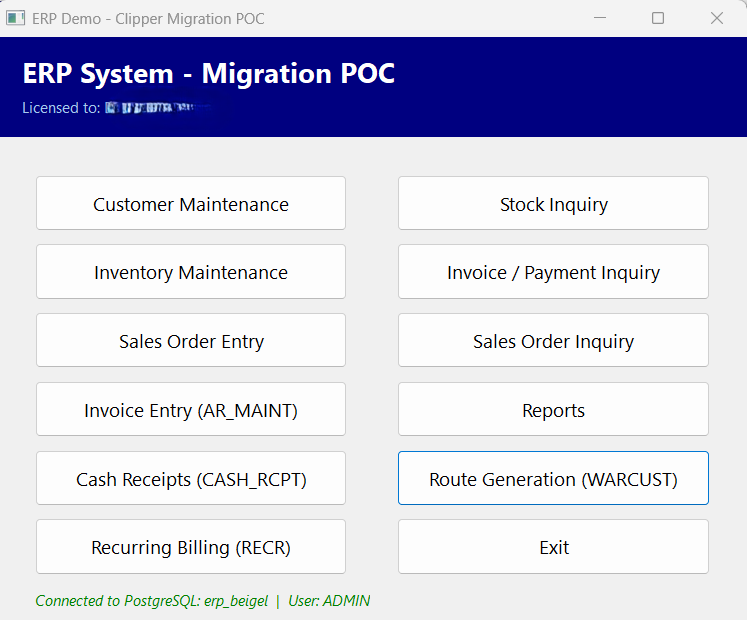
Main Launcher
From the Blog
Best ERP for Distributors
How to evaluate distributor ERP options in a practical way.
Cloud vs On-Premise ERP
A balanced comparison focused on distributor operations.
NetSuite Alternatives for Distributors
What to compare when evaluating alternatives.
How to Choose an ERP for Distributors
A clear framework for shortlisting and selection.
ERP Implementation Checklist
Rollout planning steps to reduce operational risk.
Ready to ask your ledger a question?
See your own data in a live demo. No commitment, no pressure - just a conversation about what's possible.
Schedule Your Live DemoFrequently Asked Questions
What ERP system is best for distributors?
The best ERP for distributors is one that supports your full order-to-cash process, including inventory control, route delivery workflow, recurring billing, and reporting that managers can use quickly.
Is on-premise ERP better than cloud ERP?
It depends on priorities. On-premise ERP gives stronger control over data, backups, and upgrade timing. Cloud ERP may reduce infrastructure tasks but can increase long-term dependency on vendor pricing and roadmap decisions.
What features should distributor ERP include?
Core features include fast order entry, customer and item management, route planning outputs, recurring invoice automation, AR visibility, and flexible reporting with Excel export.
How long does ERP implementation take?
Many distributor teams can phase implementation over weeks to a few months depending on data readiness, workflow complexity, and training plans.
Schedule Your Live Demo
Tell us a bit about your business and what you need. We'll follow up soon.