See the EDI engine in action
A 90-second walkthrough: trading partner setup, X12 810 generation, AI-powered field mapping from a PDF implementation guide, and item cross-reference. Watch with chapters and full transcript →
Send and receive X12 documents — 850, 810, 856, 997 — via SFTP or AS2, with AI-assisted field mapping that reads your trading partner's implementation guide and generates the complete mapping in seconds.
A 90-second walkthrough: trading partner setup, X12 810 generation, AI-powered field mapping from a PDF implementation guide, and item cross-reference. Watch with chapters and full transcript →
Big retailers and buying groups require EDI. If you cannot send an 810 invoice or receive an 850 purchase order in X12 format, you do not get the account. Most small and mid-size distributors deal with this in one of two ways: pay a third-party VAN plus a consultant to set up and maintain every trading partner, or lose the business entirely.
Ask the Ledger's EDI engine is built into the ERP. There is no middleware, no VAN subscription, no monthly per-document charges, and no external consultant required for routine partner onboarding. You configure trading partners, map fields, test documents, and go live — all from within the same application you use to run your business.
Each trading partner gets its own configuration record. You assign a partner code, link it to a customer in the ERP, and set the ISA and GS identifiers that appear in every X12 envelope. The General tab covers the basics: partner name, customer link, active or test mode, and the polling interval for inbound document checks. The Identity tab holds the ISA qualifiers and sender/receiver IDs for both sides, plus the remit-to address used on outbound invoices.
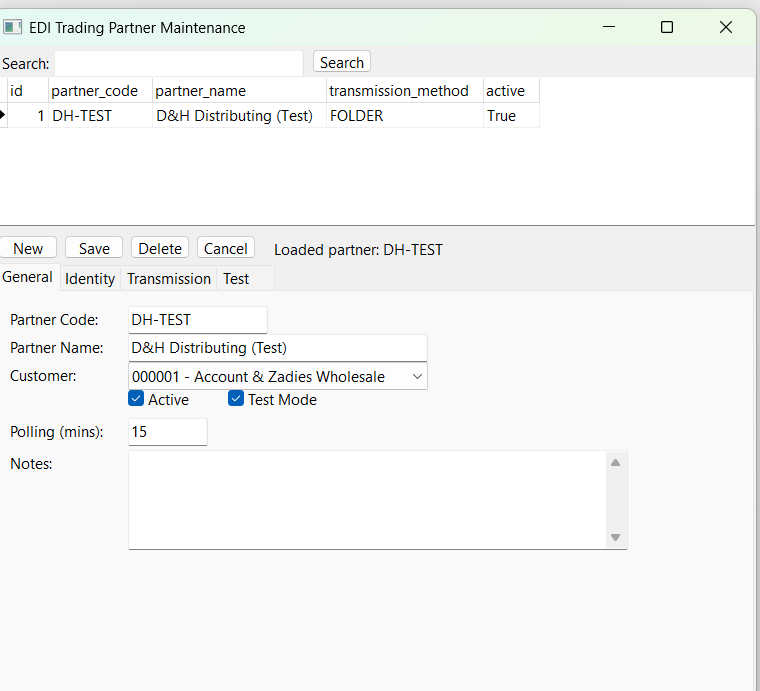
General tab — partner code, customer link, mode, polling
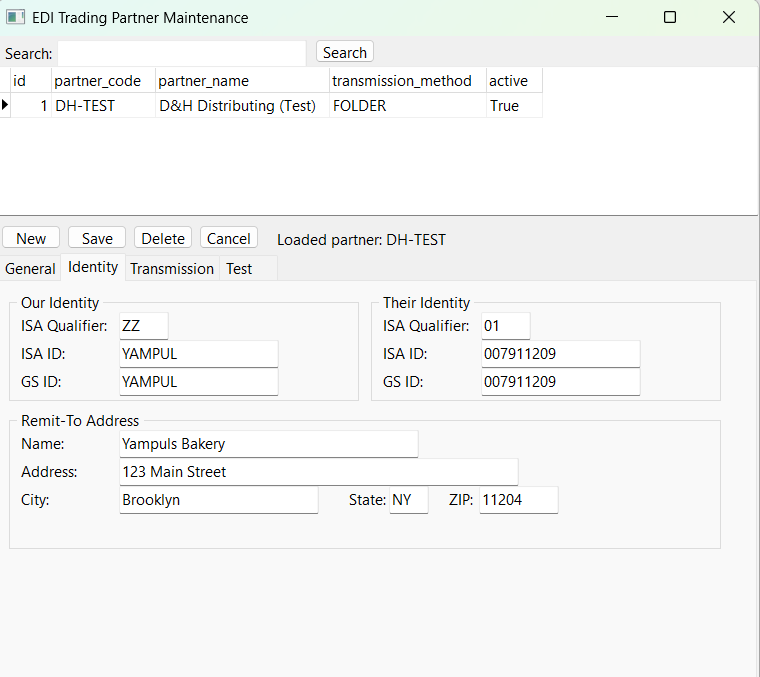
Identity tab — ISA/GS identifiers for both sides
The Transmission tab lets you choose how documents travel between your server and the trading partner. SFTP is the most common method — you enter the partner's host, credentials, and the inbound/outbound folder paths. AS2 is used by larger retailers who require encrypted point-to-point connections with signed MDN receipts. The watched folder option is useful for testing and for partners who drop files on a shared drive or local directory.
Each method is configured per partner, so you can use SFTP for one retailer, AS2 for another, and a watched folder for internal testing — all at the same time.
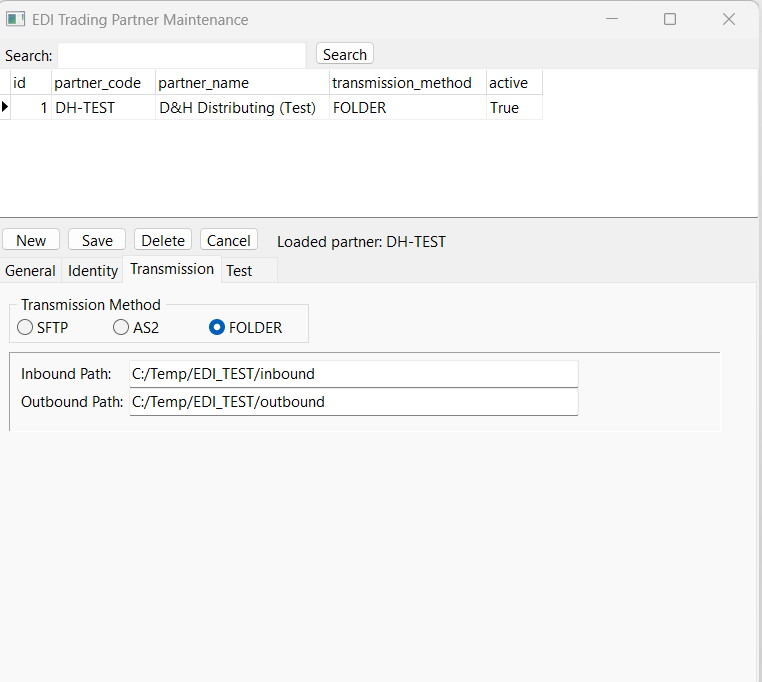
Transmission tab — SFTP, AS2, or watched folder per partner
Ask the Ledger supports the four core X12 document types used in wholesale distribution:
This is where Ask the Ledger's EDI engine is fundamentally different. Every trading partner has an implementation guide — a PDF that specifies exactly which X12 segments and elements they require, what format they expect, and which fields are mandatory. Traditionally, a consultant reads that document, interprets it, and manually builds a field mapping. That process takes 4 to 8 hours per document type, per partner, and costs accordingly.
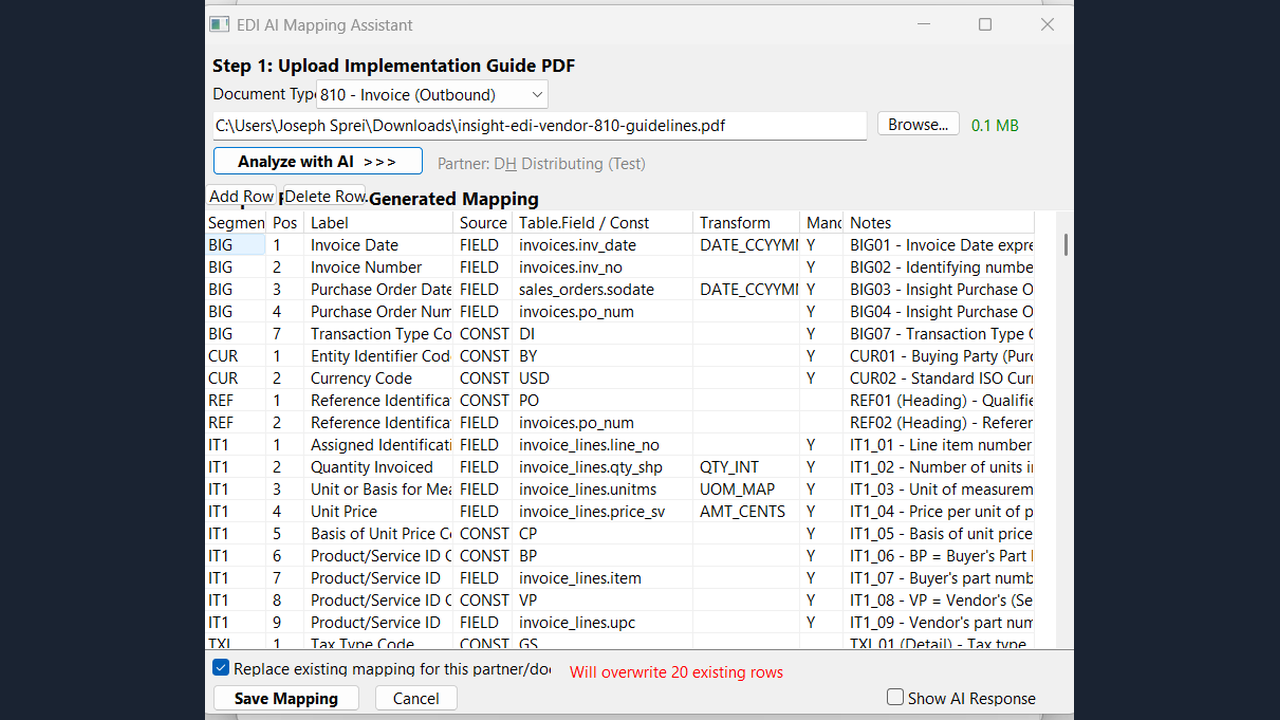
The AI Mapping Assistant eliminates that step. Upload the trading partner's implementation guide PDF, select the document type (810, 856, etc.), and click Analyze with AI. The system reads the entire specification and generates a complete field mapping — every segment, every element position, every label, the source table and field in your ERP, any required transforms, and mandatory flags. The result is a fully editable mapping grid. Review it, adjust anything that needs changing, and save.
What took a consultant half a day is done in about 30 seconds.
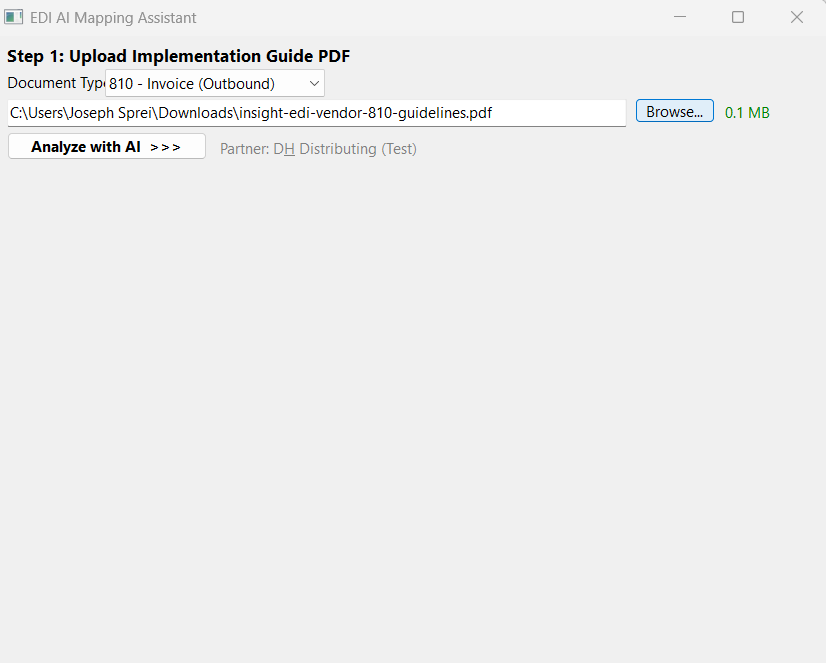
Upload the partner's implementation guide PDF
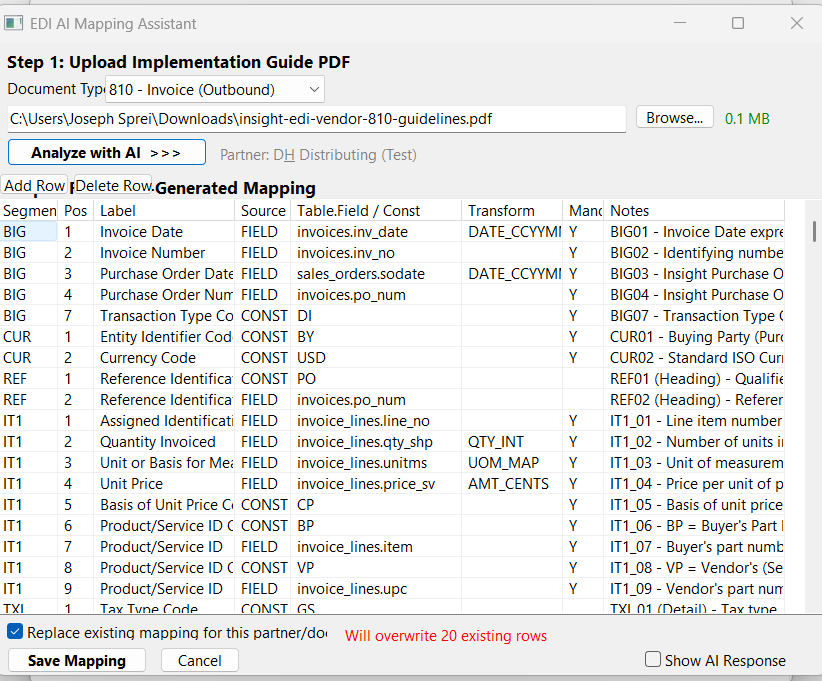
AI-generated field mapping — review, adjust, save
Every trading partner can be set to Test mode before going live. The Generate Test 810 button creates a real X12 document using actual data from your ERP and the partner's field mapping, so you can inspect every segment and element before anything is transmitted. Check Inbound Now pulls documents from the partner's folder or server without processing them into live orders, letting you verify the connection and review what the partner is sending.
Test mode gives you a safe environment to validate everything — connection, mapping, document content — before switching the partner to Active and letting documents flow automatically.
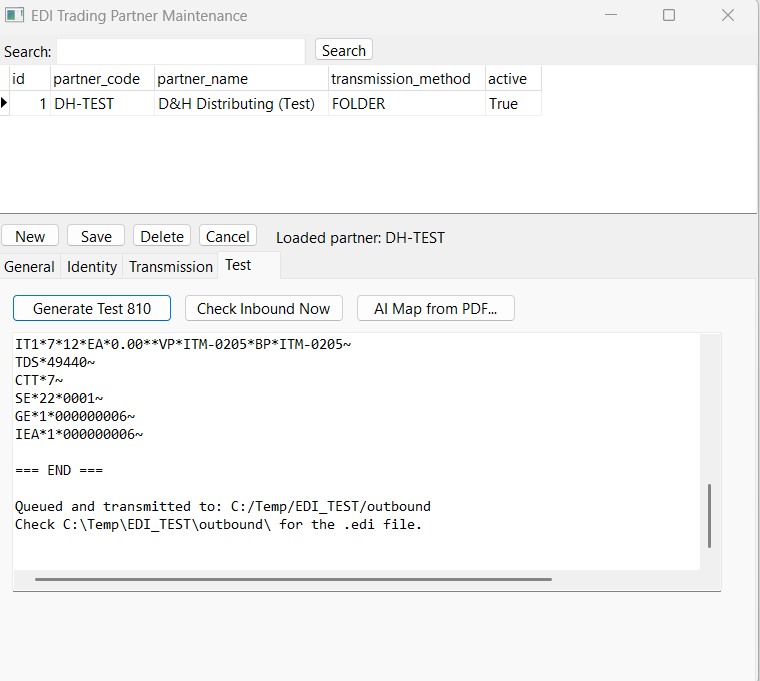
Generated test 810 — real X12 output from ERP data
Every EDI document sent or received is logged with a timestamp, trading partner, document type, direction (inbound or outbound), transmission status, and full document content. If a transmission fails — network timeout, authentication error, partner server down — you can resend it directly from the log without regenerating the document.
The transaction log provides a complete audit trail for compliance. You can search by partner, date range, document type, or status, and open any document to see the raw X12 content exactly as it was sent or received.
Traditional EDI setups route every document through a Value Added Network. A VAN subscription typically costs $200 to $500 per month, plus $0.05 to $0.15 per document — costs that add up fast when you are exchanging hundreds of documents a month across multiple trading partners.
Ask the Ledger's EDI engine connects directly to your trading partners via SFTP or AS2. There is no middleman, no per-document transaction fee, and no monthly VAN subscription. The EDI engine runs on your server, uses your ERP data, and transmits directly to the partner's server. The only cost is the Ask the Ledger license you already have.
EDI onboarding can also be accelerated by AI EDI trading partner mapping — one of three production AI features inside Ask the Ledger that cuts trading partner setup from ten weeks to two-to-three.