Every few years, someone declares the desktop application dead. And every year, the people who actually run distribution operations keep choosing desktop software over browser-based alternatives. Not because they are behind the times, but because they have learned the hard way what happens when you try to run a high-volume business through a web browser.
Ask the Ledger is a native Windows application. Not a website pretending to be one. That distinction matters more than most vendors want to admit.
See the difference yourself
Schedule Your Live DemoSpeed you can feel on every keystroke
A web-based ERP has to send every action to a server, wait for a response, and then redraw the screen. That round trip takes time. Not a lot of time. Maybe 200 milliseconds. Maybe 500. But when your billing clerk is entering 300 invoices a day, those half-seconds add up to hours of lost productivity every week.
A native desktop application does not have that problem. The form is already loaded. The lookup is instant. Tab to the next field, type, tab again. There is no spinner, no loading bar, no page refresh. Your data is a local network call away, not a continent away in someone else's data center.
This is not a theoretical difference. Ask your most experienced data entry person whether they would rather work in a fast desktop form or a browser tab. The answer is always the same.
- Instant field navigation: Tab, Enter, and arrow keys move between fields with zero delay. No waiting for AJAX calls to complete.
- Keyboard shortcuts that actually work: F3 to search, F5 for new record, F10 to save, Escape to cancel. Every screen, same keys. No conflict with browser shortcuts hijacking your keystrokes.
- Lookup popups in milliseconds: Customer search, item search, invoice lookup. They appear instantly because they query your local database, not a cloud server 1,500 miles away.
- No page reloads, ever: Switch between tabs, load a customer, view their invoice history, jump to a sales order. The form stays loaded. Nothing blinks or resets.
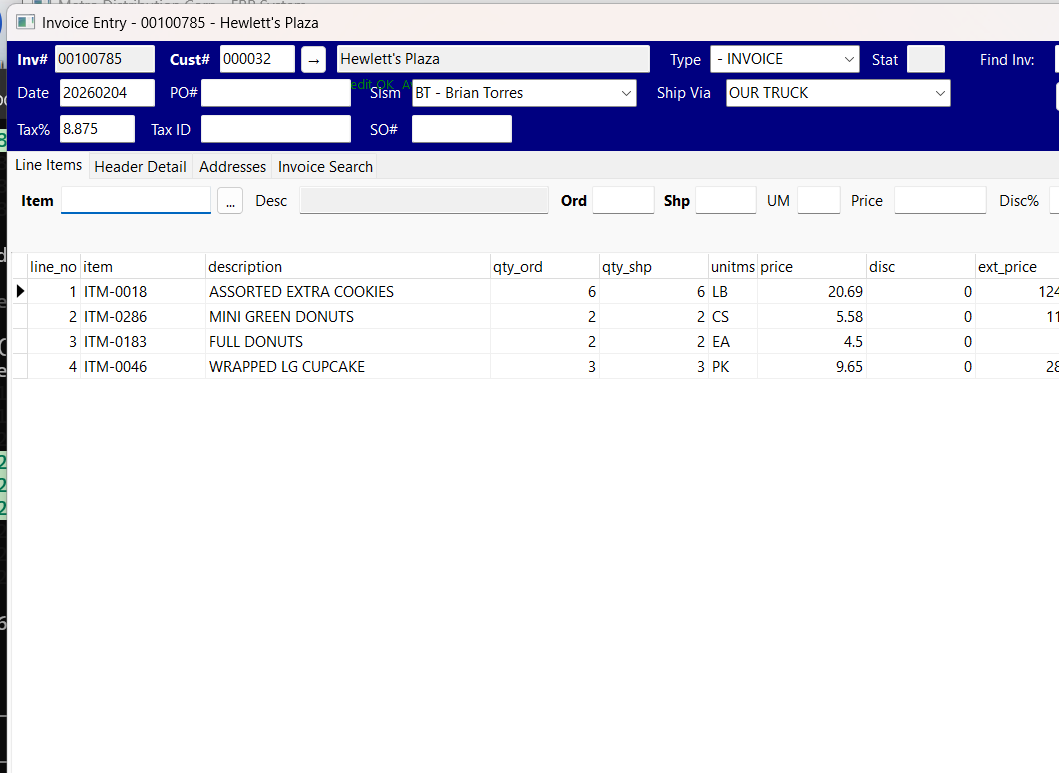
Invoice Entry - Fast Keyboard Workflow

Sales Order Entry - Instant Lookups
Your browser is not a business application platform
Web browsers were designed to display documents and navigate between pages. They were not designed to be high-speed data entry terminals. Every web-based ERP is fighting the browser to do things the browser was never meant to do.
- Browser shortcuts conflict with application shortcuts. Try pressing Ctrl+S in a web app. Does it save your invoice or does it try to save the web page? Ctrl+P to print the current record or to print the HTML page? F5 to create a new record or to refresh the page and lose everything you just typed?
- Tabs compete for memory. Open your ERP in one tab, your email in another, a spreadsheet in a third. The browser decides when to unload your ERP tab to save memory. Come back and the session is gone. Re-login, re-navigate, re-enter. A desktop application stays exactly where you left it.
- Session timeouts interrupt work. Walk away for lunch. Come back. "Your session has expired." Log in again. Navigate back to where you were. Hope you remember what you were doing. A desktop application does not time out on you.
- Print control is limited. Web browsers offer a generic print dialog that gives you little control over formatting, margins, and paper selection. A desktop application can talk directly to your printers, choose the right tray, and format the output exactly as your customers expect to see it.
- Copy and paste behaves unpredictably. Paste a customer address from an email into a web form and you might get hidden HTML formatting, extra line breaks, or encoded characters. Desktop forms handle plain text reliably.
Works when the internet does not
A web-based ERP requires internet access. Always. No exceptions. If your ISP has an outage, if your office router fails, or if you are in a location with spotty connectivity, your entire business stops. Nobody can enter an order, look up a price, or print an invoice.
Ask the Ledger runs on your local network. Your database is on your server, in your building. As long as your office network is up, your business is up. Your ISP could be down for a week and your team would not miss a single transaction. Internet access is nice to have for email and web portal features, but it is not required for core operations.
For businesses that deal with real-world logistics, like deliveries, warehouse operations, and walk-in customers, this resilience is not optional. It is a requirement.
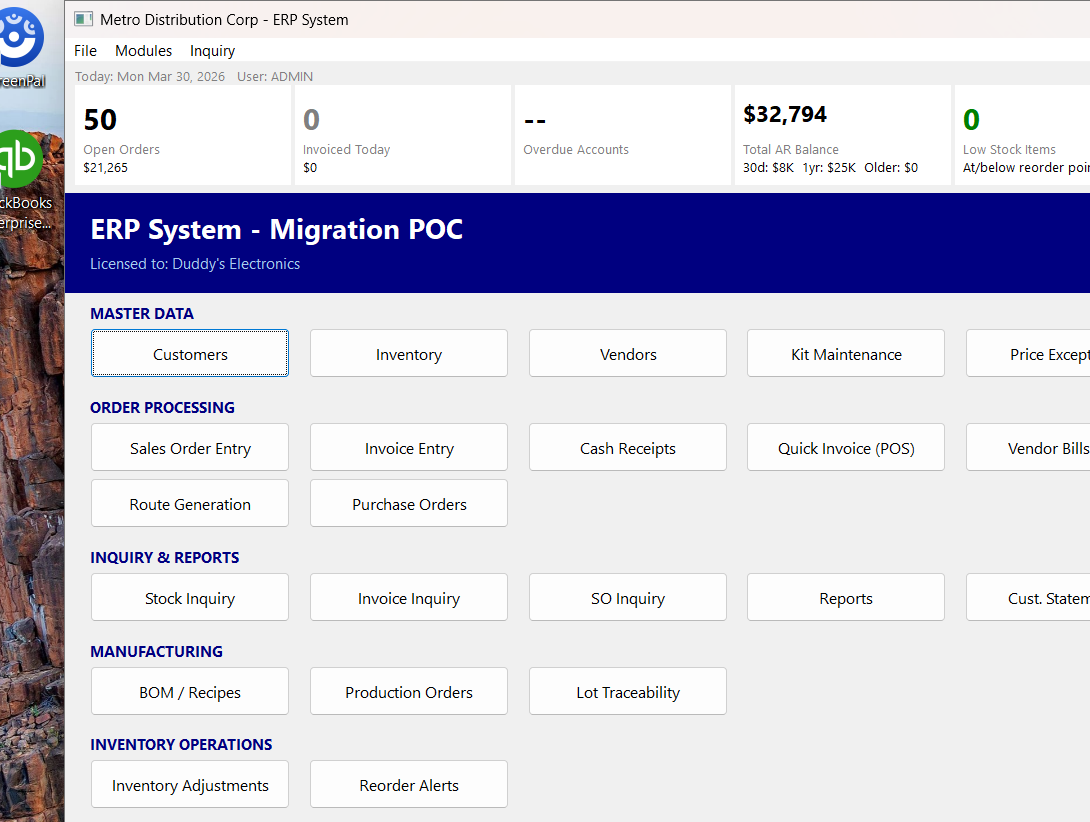
Runs on Your Local Network
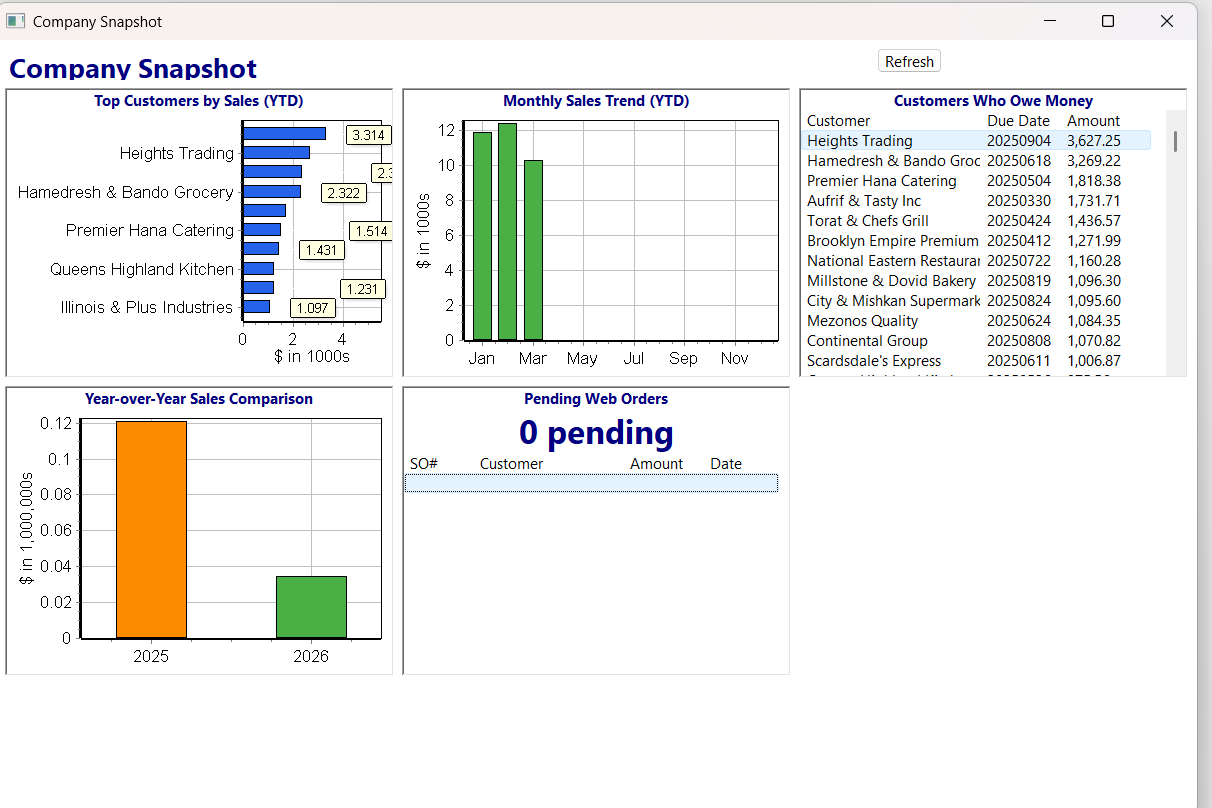
Real-Time Dashboard - No Cloud Required
Your data stays in your building
With a cloud ERP, your customer list, your pricing, your invoice history, and your accounts receivable balances live on someone else's server. You are paying rent to access your own data. And if the vendor goes out of business, gets acquired, or decides to raise prices by 40 percent, you have limited options.
With Ask the Ledger, your PostgreSQL database runs on your own hardware. You can back it up yourself, query it directly, export it whenever you want, and never worry about a vendor holding your data hostage. You have complete control and complete ownership.
For a detailed discussion of data ownership and deployment control, see On-Premise ERP.
No forced updates that break your workflow
Cloud ERP vendors push updates on their schedule, not yours. One morning you log in and the screen looks different. A button moved. A shortcut changed. A report that used to work now shows different numbers because someone "improved" the calculation. Your team spends the next two days figuring out what changed and retraining their muscle memory.
A desktop application updates when you choose to update. You can test a new version on one machine before rolling it out. You can keep running the current version until you are ready. Your business does not get disrupted because a product manager in San Francisco decided to redesign the invoice screen.
Printing that actually works
Distribution businesses print a lot. Invoices, packing slips, pick tickets, route manifests, customer statements, labels. Printing is not a nice-to-have. It is a core operation that happens hundreds of times a day.
Web browsers are terrible at printing. The output depends on the browser version, the operating system, the default printer settings, and whether the user remembered to check "Print backgrounds." Margins shift. Headers get cut off. Pages break in the wrong place.
Ask the Ledger generates clean HTML documents and sends them directly to print. The output looks the same every time, on every printer, for every user. Packing slips come out formatted for the warehouse. Invoices match what your customers expect. Route manifests are in stop order and ready for the driver.
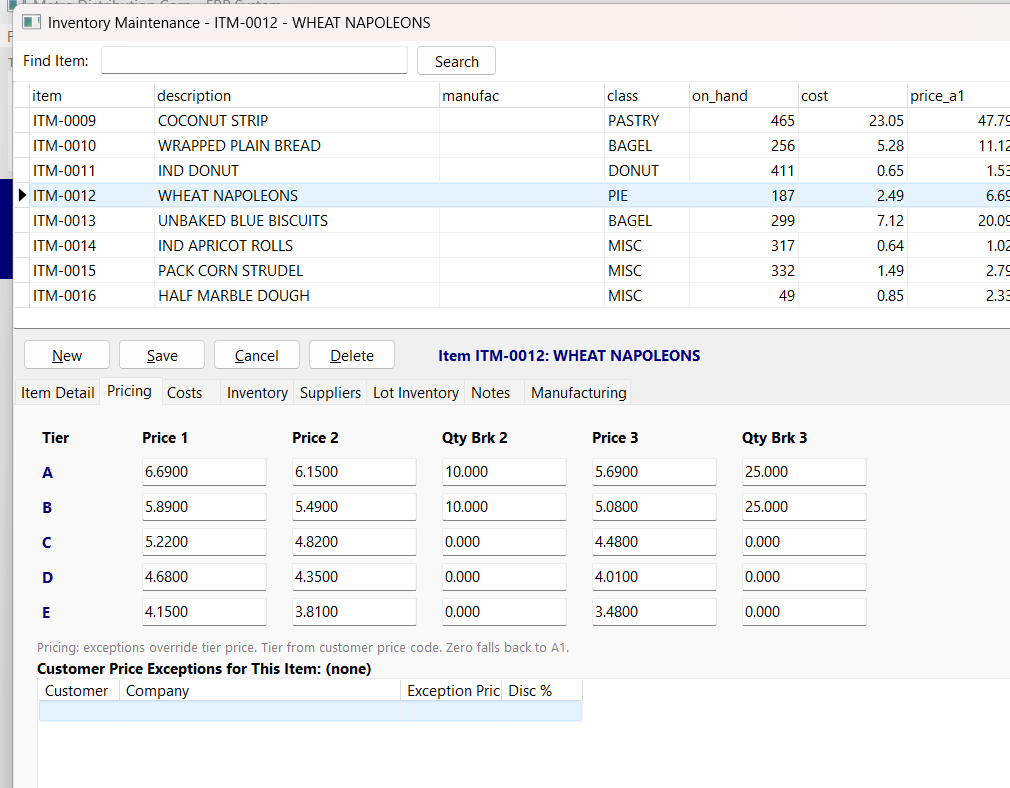
5-Tier Pricing Matrix
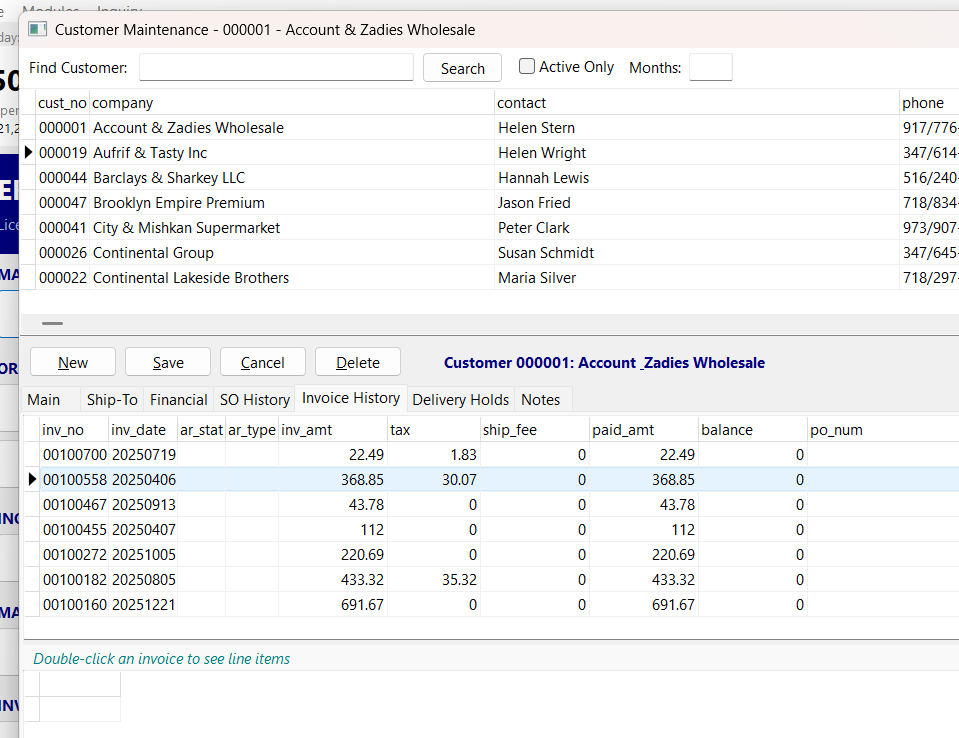
Customer Invoice History
Multi-window workflows that browsers cannot match
A billing clerk often needs to look at a customer record, check their open invoices, verify a sales order, and enter a payment, all within the same few minutes. In a desktop application, each of these can be open simultaneously. Switch between them with Alt+Tab or by clicking. Nothing reloads. Nothing loses state.
In a browser, each of these might be a separate tab. But tabs share memory and compete for resources. Open too many and the browser slows down. Navigate away from a form with unsaved data and you might lose it. There is no reliable way to keep multiple ERP screens open and responsive the way a desktop environment handles it.
You still get modern features
Being a desktop application does not mean being stuck in the past. Ask the Ledger includes features that many cloud ERPs charge extra for:
- AI Report Builder: Type a question in plain English and get a SQL query with results. No report designer needed.
- Company Snapshot Dashboard: Visual charts for sales trends, top customers, AR aging, and year-over-year comparison.
- B2B Web Portal: Your customers can browse your catalog, see their pricing, and place orders online. These orders flow into your desktop system automatically.
- Gmail OAuth2 Email: Send invoices by email directly from the application with modern OAuth2 security.
- Excel Export: Every report exports to Excel with one click.
- Route Delivery System: Preview routes, generate pick lists and manifests, print packing slips per customer.
The difference is that these features are built to complement a fast desktop workflow, not to justify a monthly subscription to a slow web interface.
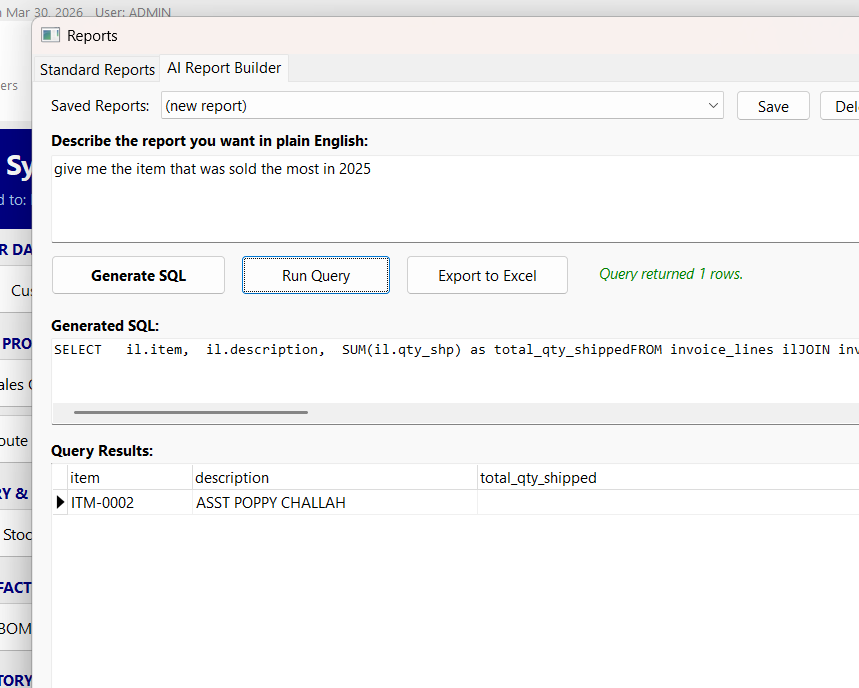
AI Report Builder
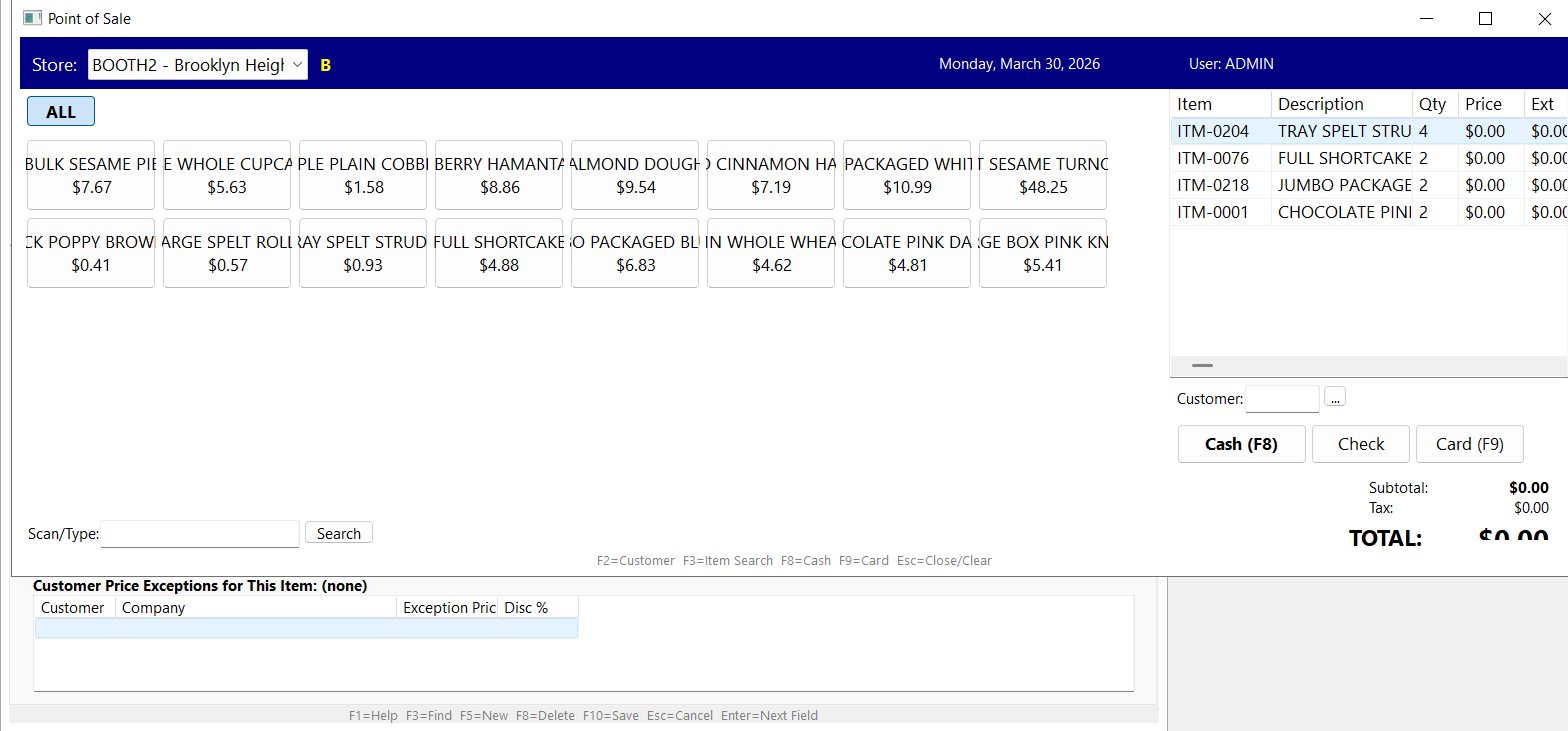
Point of Sale
Migration from legacy systems is natural
If your team is coming from a DOS-based system, a Clipper application, or an older Windows ERP, they already know how desktop software works. They know keyboard shortcuts. They know form-based data entry. They know how to navigate without a mouse. Ask the Ledger preserves that knowledge instead of throwing it away.
Migration is phased and controlled. Start with the core workflows: customer lookup, order entry, invoicing, and cash receipts. Once those feel natural, expand into reporting, route delivery, and recurring billing. Your team never has to learn everything at once, and they never have to unlearn the habits that make them fast.
The honest comparison
| Consideration | Desktop Application | Web Browser ERP |
|---|---|---|
| Data entry speed | Instant field navigation | Server round-trip on each action |
| Keyboard shortcuts | Full control, no conflicts | Browser shortcuts override app shortcuts |
| Internet dependency | Works on local network only | 100% internet required |
| Data ownership | Your server, your control | Vendor's cloud, vendor's terms |
| Updates | You choose when to update | Vendor pushes updates automatically |
| Printing | Direct printer control | Browser print dialog |
| Multi-window workflow | Full OS window management | Tabs compete for memory |
| Session stability | Always running, no timeouts | Session expires, re-login required |
| Monthly fees | One-time license | Ongoing subscription per user |
| Legacy migration | Familiar paradigm, easy transition | Complete retraining required |
Related pages: On-Premise ERP for data ownership details, Cloud vs On-Premise ERP for a full comparison, Route Delivery Software for logistics, or go back Home.